AI Web Crawler: What It Fetches and How to Test Access

Key takeaways
- An AI web crawler fetches public pages for model training or AI answers—access is controlled in robots.txt.
- Name intent per user-agent before you paste a block-all snippet.
- Test the live robots.txt URL after every deploy that touches CDN or generators.
What is an AI web crawler? It is a bot that requests public URLs so an AI system can train, retrieve, or answer with content from the open web. Like Googlebot, it usually respects robots.txt when the vendor says so—but it uses its own user-agent name. Treating “search crawl” and “AI crawl” as one rule set is how docs stay invisible in ChatGPT-style answers while Google still indexes them fine.
What an AI web crawler does
An AI web crawler:
- Requests HTML (and sometimes assets) from public URLs
- Identifies itself with a user-agent string (for example GPTBot)
- Follows Allow / Disallow lines in
https://yoursite.com/robots.txtwhen the operator documents that behavior
It does not:
- Guarantee your page will be cited in an AI answer
- Replace authentication,
noindex, or paywalls - Fix thin or unstructured pages—crawl access is only the first step
Official references change. Prefer vendor docs for agent names—for GPTBot, start with OpenAI’s GPTBot documentation. For the rest of crawl readiness (sitemap, schema, page structure), use the AI ready website framework.
AI web crawler vs classic search crawler
| Classic search crawler | AI web crawler | |
|---|---|---|
| Job | Index for blue-link search | Feed training, retrieval, or answer features |
| User-agent | e.g. Googlebot | e.g. GPTBot, ClaudeBot, and peers |
| Where you set rules | robots.txt + Search Console-style tools | robots.txt (+ vendor opt-outs when offered) |
| When it fails | Not ranking | Never fetched—or fetched but not quotable |
You often want both: Googlebot allowed for discovery, and selected AI agents allowed for public docs and pricing. Blocking every AI agent while hoping for citations is a mixed signal.
Named agents you will see in robots.txt
Vendors publish their own strings. Your live file may list some of:
- GPTBot — OpenAI crawler (deep dive: GPTBot robots.txt)
- ClaudeBot and similar Anthropic-related agents
- Google-Extended and other Google-documented AI-related tokens
- PerplexityBot and peers used by answer engines
Names and policies change. When counsel asks “which AI bots hit us?”, list every User-agent line from the live file and match each string to the vendor page that defines it—do not invent agent names from social posts.
Do not treat a viral “block all AI bots” paste as policy. Read each User-agent line, write the business intent in plain words (“allow public docs”, “deny training on /blog”), then edit. For whole-file practices, see robots.txt best practices.
Step 1: Confirm the crawler can reach robots.txt
Open https://yoursite.com/robots.txt in a private window. You need:
- HTTP
200 - Plain text (not an HTML error or login wall)
- The file at the domain root, not only under
/blog/
If the file is missing or returns HTML, AI web crawlers never see your Allow/Disallow intent. Fix reachability first—create a robots.txt file if you do not have one yet.
Step 2: Map intent to each AI user-agent
For every AI-related User-agent in the file, record:
| Intent | Typical action |
|---|---|
| Public docs / pricing should be fetchable | Allow / for that agent (or omit a blanket Disallow) |
| Staging / account / internal search | Disallow those paths for * and for AI agents |
| Policy forbids training crawls | Disallow that agent sitewide—and document who approved it |
Keep staging closed for everyone, not only one AI bot. A preview host that Allows all agents will leak draft URLs into crawls you never intended.
Minimal pattern for private paths (adjust to your CMS):
User-agent: *
Disallow: /staging/
Disallow: /search
Disallow: /account/
Then add AI-specific groups only when intent differs from *.
Step 3: Align llms.txt with crawl rules
If you publish llms.txt with curated URLs, those URLs must be Allowable for the agents you care about. Listing a path in llms.txt while Disallowing the same path in robots.txt sends mixed signals. Fix robots first, then keep the curated URL list short and factual.
Step 4: Test with an AI crawler check
Paste your live site URL into gptmelo’s AI Crawler Checker. Confirm which agents your robots.txt allows or blocks, and fix mismatches before the next publish.
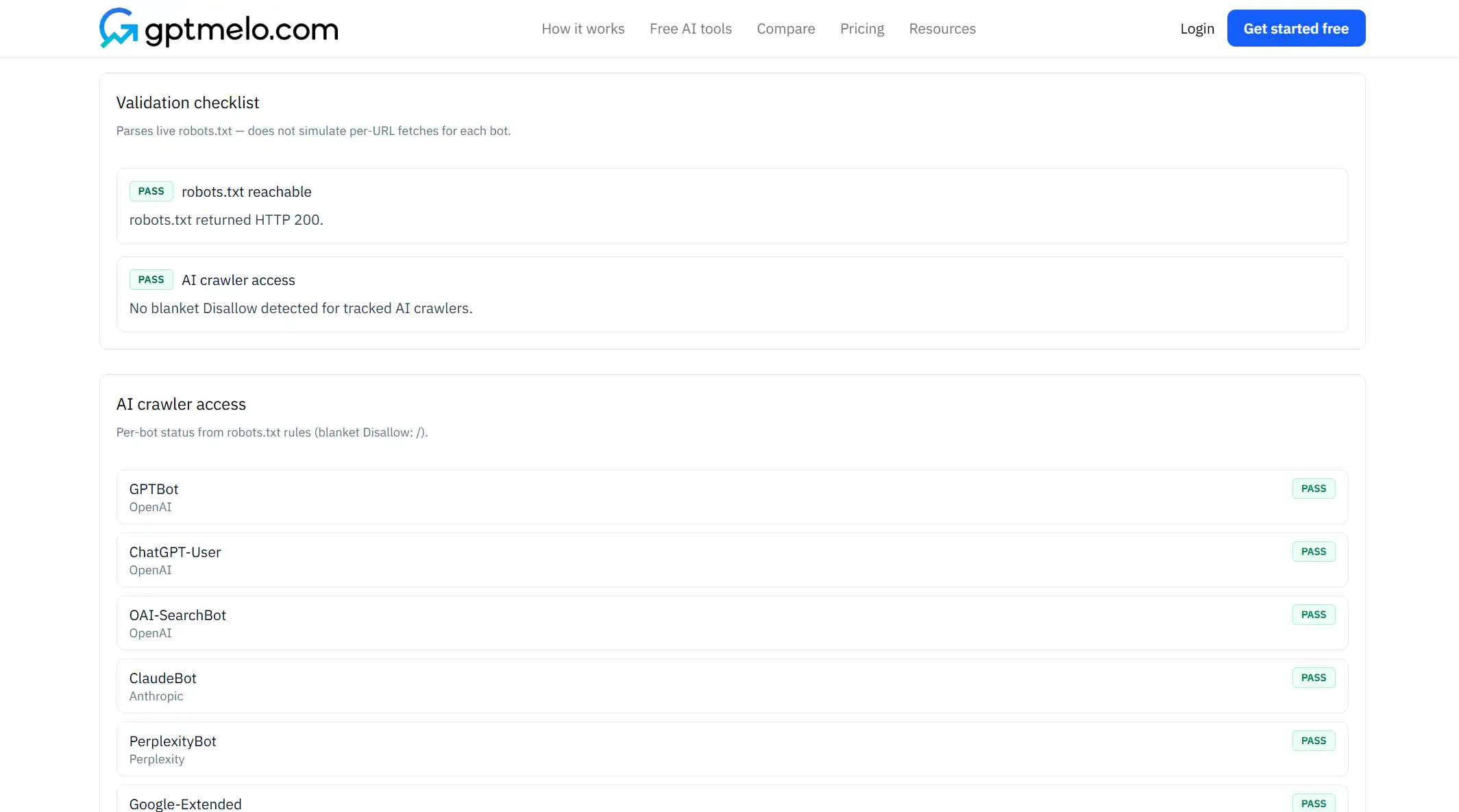
Re-run after:
- CDN or edge rule changes
- Theme / SEO plugin robots regenerators
- Any merge that edits
robots.txtor generator config
Store the check result in the release notes when you change access policy—so the next editor knows what was intentional.
Step 5: Separate crawl access from page quality
A successful fetch only means the bot got HTML. Citations still need clear answers, lists or tables, and attributed facts on the page. When leadership wants crawl and structure in one review, use the GEO site audit workflow—not robots.txt alone.
Also check discovery: a blocked AI crawler cannot use your sitemap as a workaround if robots.txt Disallows the path. Keep XML sitemap health for search crawlers, and keep AI agent rules aligned with the intent you wrote down.
Common mistakes
- Assuming Googlebot Allow covers GPTBot and peers
- Pasting a block-all AI snippet without reading the agent list
- Publishing robots.txt under a subdirectory when bots expect the apex root
- Allowing staging on a preview host that shares production content
- Listing URLs in llms.txt that robots.txt Disallows
- Skipping a live test after a CDN or plugin change
- Treating Crawl-delay as a rate limit every AI agent will honor (many ignore it)
Free check: whether the bot can fetch
Open the AI Crawler Checker. Enter the production domain — allow vs block in robots.txt, not a live fetch as that bot. No account required.
1. Fill the form. Paste the live production domain (not staging, not a plugin preview).
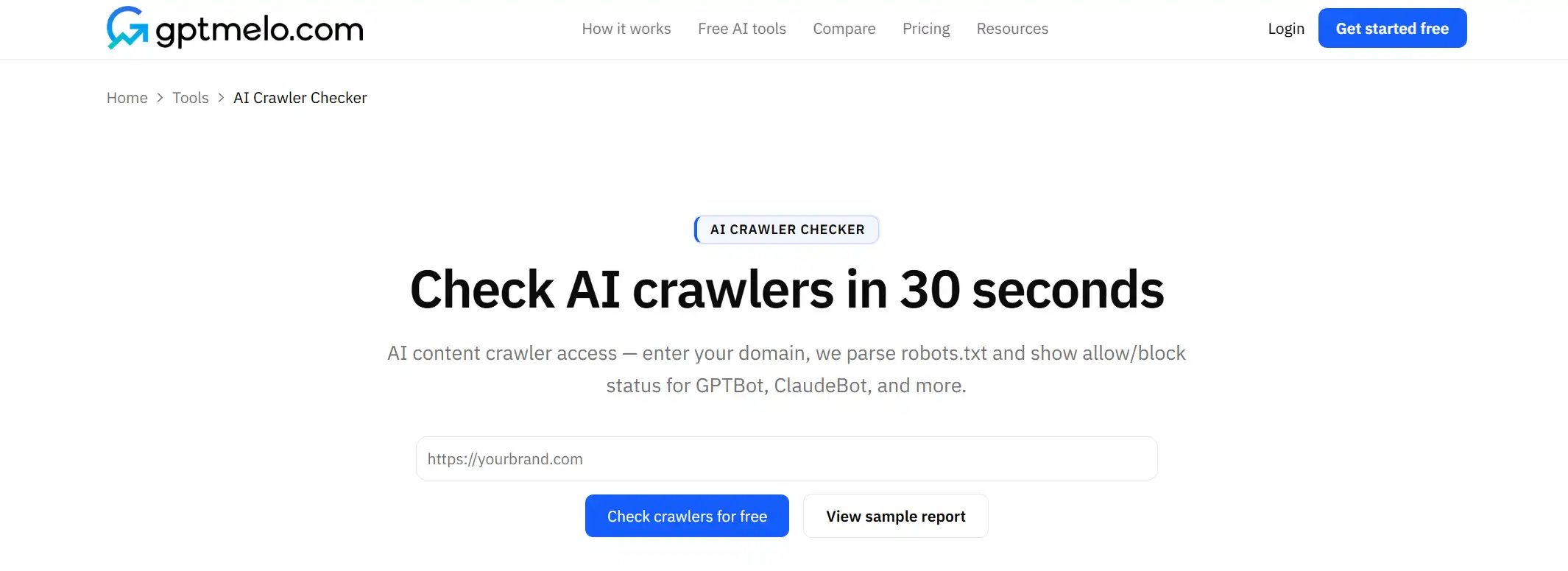
2. Check. Click Check crawlers for free.
3. Read the result. You get per-bot allow/block plus a robots.txt preview. The screenshot is a sample — yours follows the domain you entered. Glance at allow vs block for the agent you care about. This parses robots.txt; it does not fetch as each bot.
4. Fix the live file, then check again. Edit robots.txt at the domain root, deploy, re-check. Do not treat this window as the file.
FAQ
What is an AI web crawler?
A bot that fetches public URLs for AI systems—training, retrieval, or answers—usually identified by a user-agent and controlled with robots.txt Allow/Disallow.
How is an AI web crawler different from Googlebot?
Both fetch HTML, but AI crawlers serve model and answer products under their own user-agents. Do not assume Googlebot rules cover them.
Should I block all AI web crawlers?
Only when policy requires it. A blanket block can hide public docs from answer engines you still want citing you.