Best Free AI Writing Tools 2026: Draft Jobs Not Detector Games

Key takeaways
- Pick free AI writing tools by the draft job—outline, first draft, or clarity rewrite—not by feature count.
- Free chat models draft; a writer workflow plus a structure check beats one long paste.
- Skip tools that sell undetectable copy; publish when facts, sources, and clear blocks are ready.
Free AI writing tools are everywhere in 2026, but most hit their limit long before you reach prose ready to publish. The real split isn’t between “human-like” and “robotic” outputs—it’s between tools that draft structure fast and those that help you rewrite with clarity and sources. While a free SEO tool checks for keywords and a ChatGPT workflow delivers one long draft, the best free AI writing tools let you build outlines, generate long-form drafts, and refine for readability—all without chasing detector scores.
| Job | I’d shortlist | Wrong fit |
|---|---|---|
| Outline from scratch | ChatGPT Free, Gemini Free, Claude Free | SEO tools, AI detectors |
| Long-form blog/help draft | Claude Free, Gemini Free, ChatGPT Free | SEO checkers, paraphrasing-only tools |
| Clarity rewrite/paraphrasing | QuillBot Free, Grammarly Free | SEO tools, citation-only generators |
| Citation-heavy academic draft | SciSpace, ZenoChat, Perplexity Free | SEO writers, undetectable/humanizer tools |
| Structured draft with clear H2s and source slots | gptmelo GEO Content Writer | Detector tools, SEO scorers only |
How I Shortlist Free AI Writing Tools
For this roundup, I ranked tools by free plan usefulness for each draft job, not by how well they evade detectors or pad a feature list. The main axes:
- Free plan limits (how much you can write per month, paywall triggers)
- Output structure (outline, full draft, clarity rewrite, citations)
- Sign-up friction (instant use vs. email wall)
- Fit for real jobs (blog, help doc, academic, paraphrasing)
- Weaknesses you hit before publish
The main question: Does the tool get you from outline to usable draft in one session, or does it stall behind a login or credit wall?
ChatGPT Free — Best for Fast Outlines and Short Drafts
OpenAI’s ChatGPT Free tier still leads for fast, flexible outlines and short draft sections. You can prompt it for related topics or subtopics, subheadings, or first paragraphs for blogs and help docs. It’s especially strong for brainstorming and turning a basic prompt into a detailed plan. No credit card required—just a free account.
Best for: Outlining, brainstorming, FAQ blocks, and quick rewrites. Anyone new to AI writing can start here without a steep learning curve.
Skip if: You need to generate full-length (1500+ words) drafts or require source citations in output. The free version limits context, sometimes produces generic phrasing, and often refuses academic sources or citations. Export is manual copy-paste; there’s no built-in grammar check or plagiarism scan.
Key free plan limits:
- Session cap: Often closes after a few dozen prompts
- No web browsing or plugins on the free tier
- Output: 300–800 words per response, sometimes less
Claude Free — Best for Long-Form Drafts with Structure
Anthropic’s Claude Free handles longer prompts and bigger documents than ChatGPT Free. You can paste a detailed outline or a 3000-word draft and ask for section rewrites, expansions, or bullet-to-paragraph upgrades. The model keeps more context in memory, so it’s better for multi-part articles and complex help docs.
Best for: Drafting long-form content, expanding outlines, or rewriting full pages for clarity. The free plan is generous—no credit card, just email sign-up.
Skip if: You need precise citations or your workflow demands academic formatting you can export. Claude Free does not generate reference lists or formal citations, which limits its use for scholarly work.
Key free plan limits:
- Daily message cap: Typically 5–10 long messages per day
- No direct file upload on the free tier
- Occasional queue during peak hours
Gemini Free — Google’s Pick for Multi-Format Drafts
Google’s Gemini Free (formerly Bard) is built for users who want to draft both text and simple visuals. Its edge is speed: prompts return in seconds, and you can ask for outlines, blog intros, or even basic code snippets. For Android users, integration with Google Docs is direct.
Best for: Blog post outlines, FAQ sections, email drafts, or quick help content. Strong for teams already using Google Workspace tools.
Skip if: You need long-form academic content or detailed citation support. The free plan restricts output length and sometimes truncates multi-step prompts. The model can be inconsistent for specialized or technical topics.
Key free plan limits:
- Output limit: About 800–1000 words per prompt
- Requires Google account sign-in
- No advanced formatting or citations
QuillBot Free — Best for Paraphrasing and Clarity Rewrites
QuillBot Free is a favorite for students and editors who need to paraphrase text or clarify dense language. The tool offers two modes—Standard and Fluency—on the free tier, allowing quick rewrites with improved readability. A built-in grammar checker and summarizer condense long passages.
Best for: Rewriting academic paragraphs, simplifying technical language, or checking for accidental plagiarism. The interface is clean, and no credit card is needed.
Skip if: You want to generate entire drafts or need structured outlines. Free users are limited to 125 words per paraphrasing pass and cannot access advanced tone or style controls.
Key free plan limits:
- 125-word paraphrasing limit per pass
- 1200 words per summarizer use
- No citation generation or export to file
Grammarly Free — Streamlined Grammar and Clarity Checks
Grammarly Free focuses on grammar, spelling, and basic clarity rewrites. While it’s not a full writing generator, its AI suggestions help polish drafts created elsewhere. The browser extension highlights errors in real time, and the web editor surfaces clarity and conciseness recommendations.
Best for: Polishing blog drafts, business emails, and help articles. It’s a staple for anyone needing error-free copy before publish.
Skip if: You want full AI draft generation, citation support, or outline creation. Grammarly Free does not write content from scratch; it only edits what you paste in.
Key free plan limits:
- No AI-powered rewrite or full-sentence suggestions on free tier
- Plagiarism checker is locked behind paid plans
- Some advanced clarity and tone tools are paid-only
SciSpace — Free academic drafts with citations
SciSpace is tailored for researchers and students who need academic drafts with citations. The free plan lets you generate summaries, paraphrase academic articles, and auto-insert citations from major databases. SciSpace also checks for citation formatting and highlights missing references.
Best for: Academic essays, research briefs, and annotated bibliographies where citation quality matters more than SEO or blog flow.
Skip if: You need blog-style drafts, SEO optimization, or creative writing. The tool’s interface favors structured academic outputs, and the free plan restricts the number of citation insertions per day.
Key free plan limits:
- Daily cap on paraphrasing and citation requests
- Limited export formats (PDF and Word only)
- Sign-up required for usage beyond a few queries
Perplexity Free — Search-driven drafts with many citations
Perplexity Free is a search-powered AI assistant that generates answers and summaries with direct source links. Unlike most generators, every answer includes web citations or links to academic papers, making it a fit for quick research or citation-heavy drafts.
Best for: Sourcing factual answers, academic overviews, or quick research-backed summaries. The UI is instant—no sign-up needed for basic queries.
Skip if: You want to generate long-form creative drafts or detailed blog articles with voice. The free plan limits output length and sometimes prioritizes breadth over depth in summaries.
Key free plan limits:
- Short-form answers (1–2 paragraphs)
- Daily cap for high-usage IPs
- No export or formatting options
ZenoChat — Academic Paraphrasing and Structure
ZenoChat (by TextCortex) specializes in academic paraphrasing and structure checks. The free plan supports up to 1000 words per query and offers suggestions for improving academic tone, sentence variety, and structure. It’s a niche tool, but valuable for students editing large sections of research papers.
Best for: Academic editing, paraphrasing, and rewriting blocks of text for structure and originality. The tool is web-based and requires email sign-up.
Skip if: You want blog drafts, creative writing, or SEO-driven content. ZenoChat’s free plan restricts the number of queries per day and offers no citation generation.
Key free plan limits:
- 1000-word input per session
- Daily limit of 5 queries
- No plagiarism checker on free tier
GEO Content Writer — free structured drafts for citation jobs
When free chat models stall on H2 order, short answer blocks, or source slots, gptmelo’s GEO Content Writer drafts from an outline with brand facts baked in. It is a writer for that job—not a detector dodge and not an SEO keyword scorer.
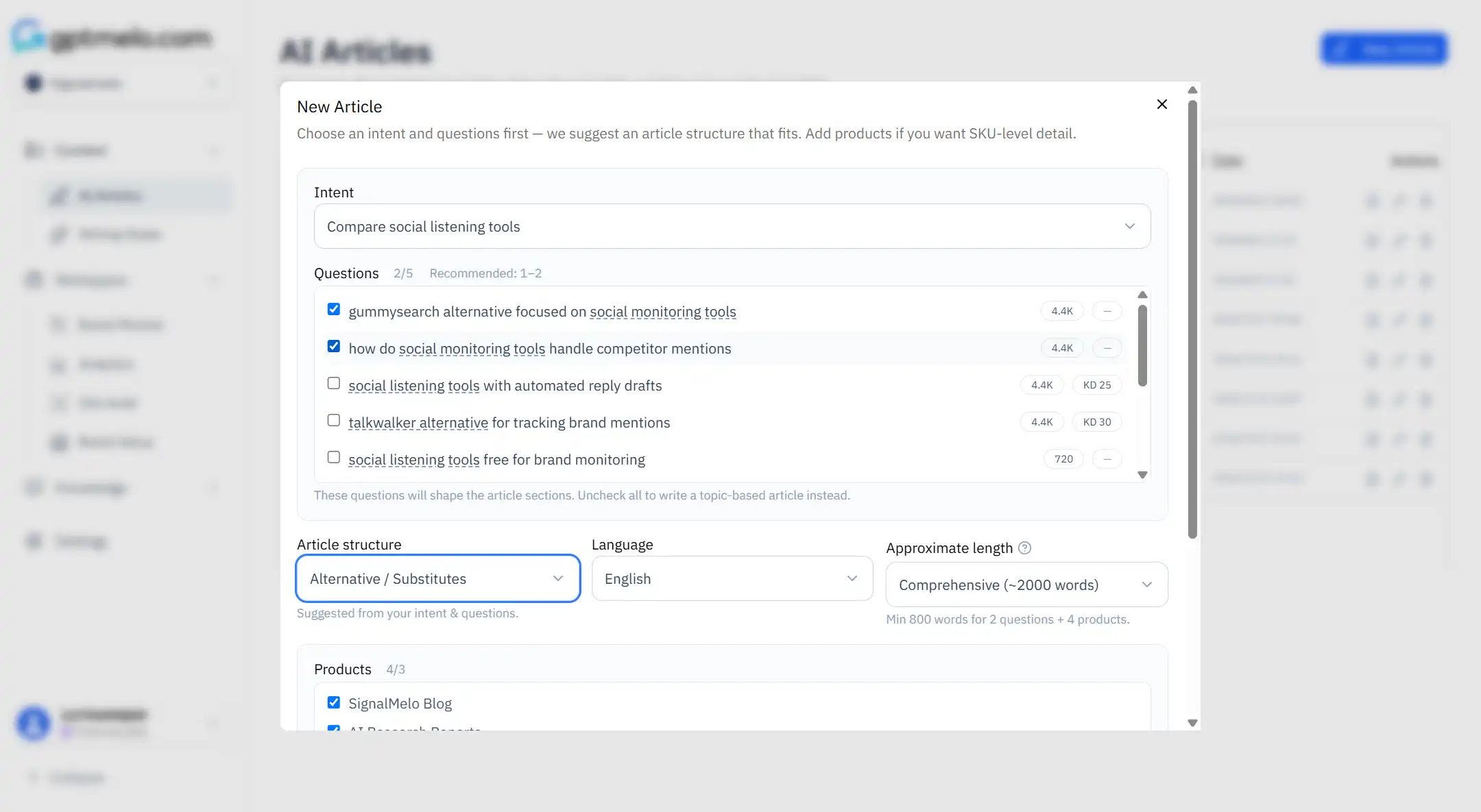
Best for: Blog and help drafts that need clear section structure and source slots before you edit facts by hand. Web-based; no credit card to start.
Skip if: You only need a one-line brainstorm, or you want a scorer instead of a draft. Pair with a structure check after you edit if you need a pass/warn list on the live URL.
Key free plan limits:
- Best on outline-driven sections, not infinite blank-page chat
- Humans still own facts, sources, and final publish
- Not for dodging detectors or predicting rankings
What Makes Free AI Writing Tools Different from SEO Tools and ChatGPT Workflows
It’s tempting to bundle all content tools together, but free AI writing tools differ sharply from SEO checkers and one-prompt ChatGPT workflows.
Free AI writing tools (ChatGPT, Claude, Gemini, etc.) generate new text—outlines, drafts, or rewrites—from prompts. Their job ends when the draft lands in your editor.
SEO tools (like Surfer, Ubersuggest, or Ahrefs) check keyword use, readability, and optimization factors. They rarely generate full drafts for free, and their strength is in scoring, not writing.
ChatGPT workflow means one prompt, one output. It’s ideal for brainstorming or first drafts, but struggles with multi-section articles or drafts that need many citations.
While SEO tools help you optimize after the draft and detectors only flag AI patterns, the right free AI writer moves you from blank page to a structure models can quote. No AI tool can promise a finished article—human editing, fact-checking, and structure review remain non-negotiable for real brands.
Tips for Getting the Most Out of Free Plans
- Draft in pieces: Use free chat models for outlines and short blocks, then assemble in your doc
- For structured sections with source slots, draft in the GEO Content Writer instead of one long chat paste
- Combine paraphrasers (QuillBot, ZenoChat) with full generators for clarity
- Save outputs often—most free plans have hard session caps
- Add citations and fact-check claims manually; no free tool can guarantee sources are correct
Common Mistakes with Free AI Writers
- Chasing “undetectable” outputs instead of clear, source-backed drafts
- Publishing without a structure or citation check
- Relying on SEO tools for writing instead of optimization
- Missing plan limits and losing work mid-draft
Verdict: Pick by Draft Job, Not Detection Score
The best free AI writing tool for you depends on your draft job—not on detector scores or feature counts. Use ChatGPT Free or Gemini for outlines, Claude Free for long-form drafts, and QuillBot or Grammarly for clarity rewrites. For academic work that needs citations, start with SciSpace or Perplexity. When the gap is structured H2s and source slots on a blog or help page, use the GEO Content Writer, then edit facts before you publish. No single tool does it all—pair free writers with a human fact-check, and publish only when your draft is clear, sourced, and ready for your audience.
Free check: one writing job from the roundup
Open the GEO Content Writer. Draft one job from the roundup table — a structured draft with clear H2s and source slots, not a detector prompt. No account required.
1. Fill the form. Topic is that job: a help article with H2s for the steps and a slot to cite the permission error from the product docs. Brand name and Brand website are the product in that help article. Open More options only if you need them.
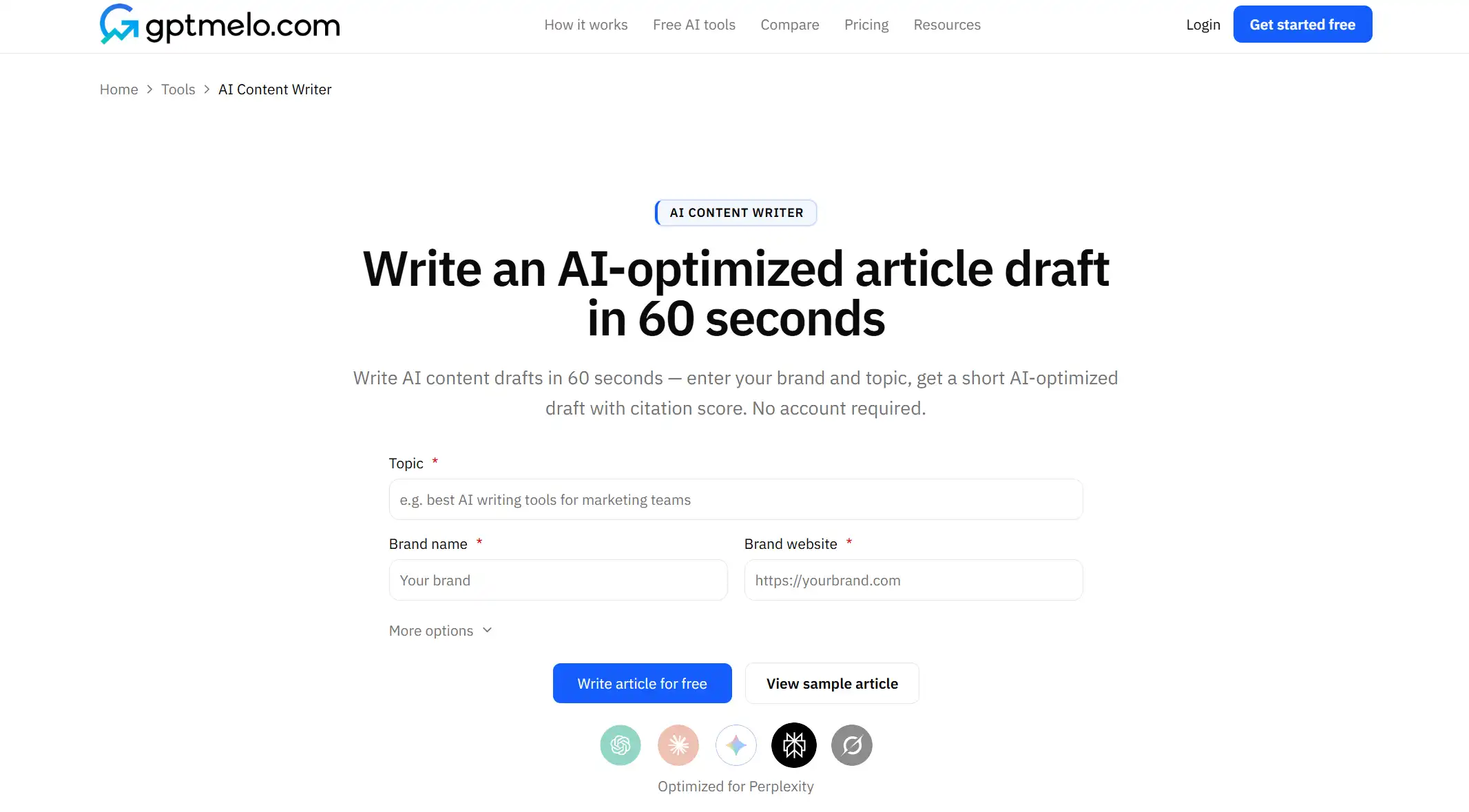
2. Write. Click Write article for free.
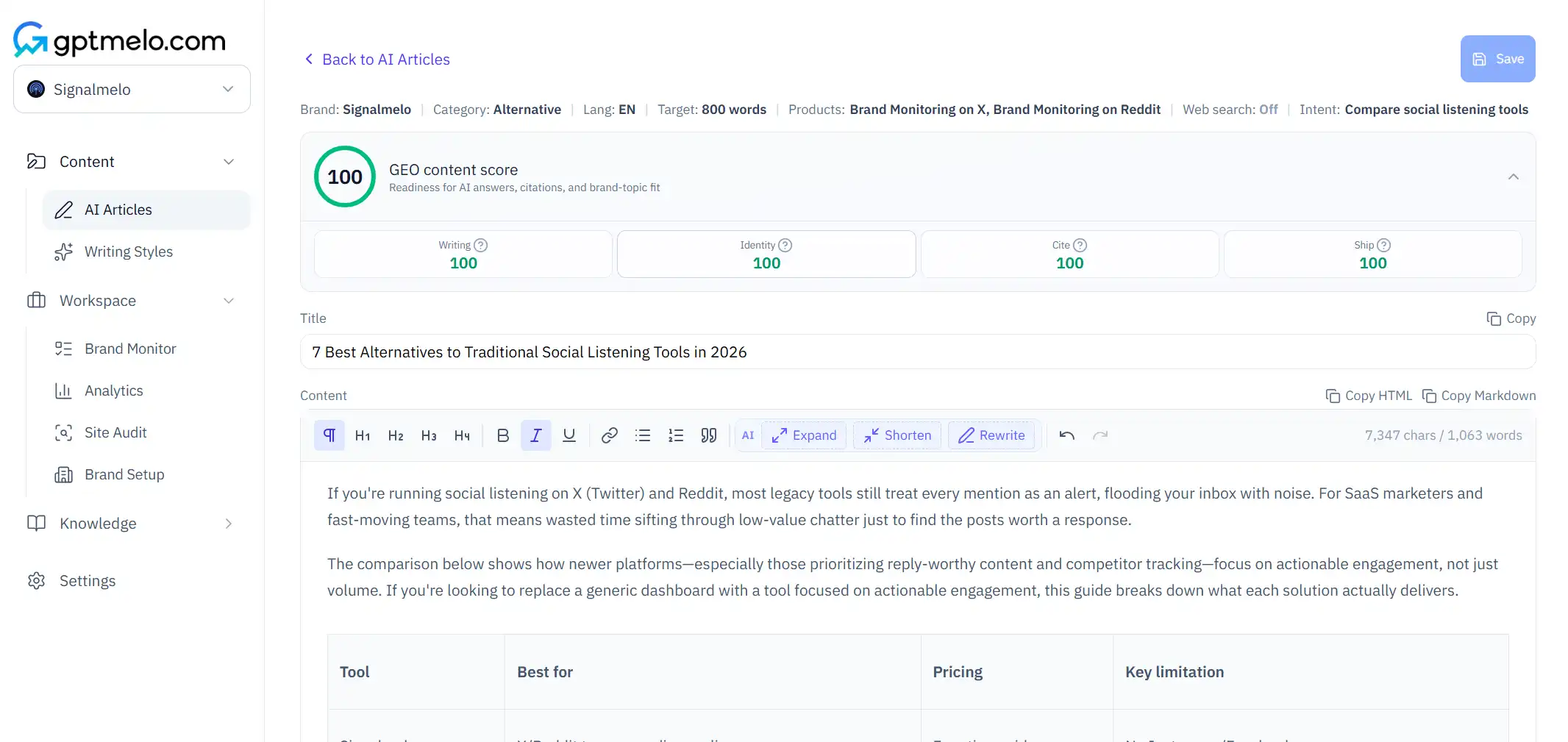
3. Read the result. You get a draft next to a GEO content score (Writing, Identity, Cite, Ship). The screenshot is a sample — yours follows Topic. Glance at Writing: clear H2s and a place for a source — not “make this undetectable.” Use Copy HTML or Copy Markdown. The score is not a fact check.
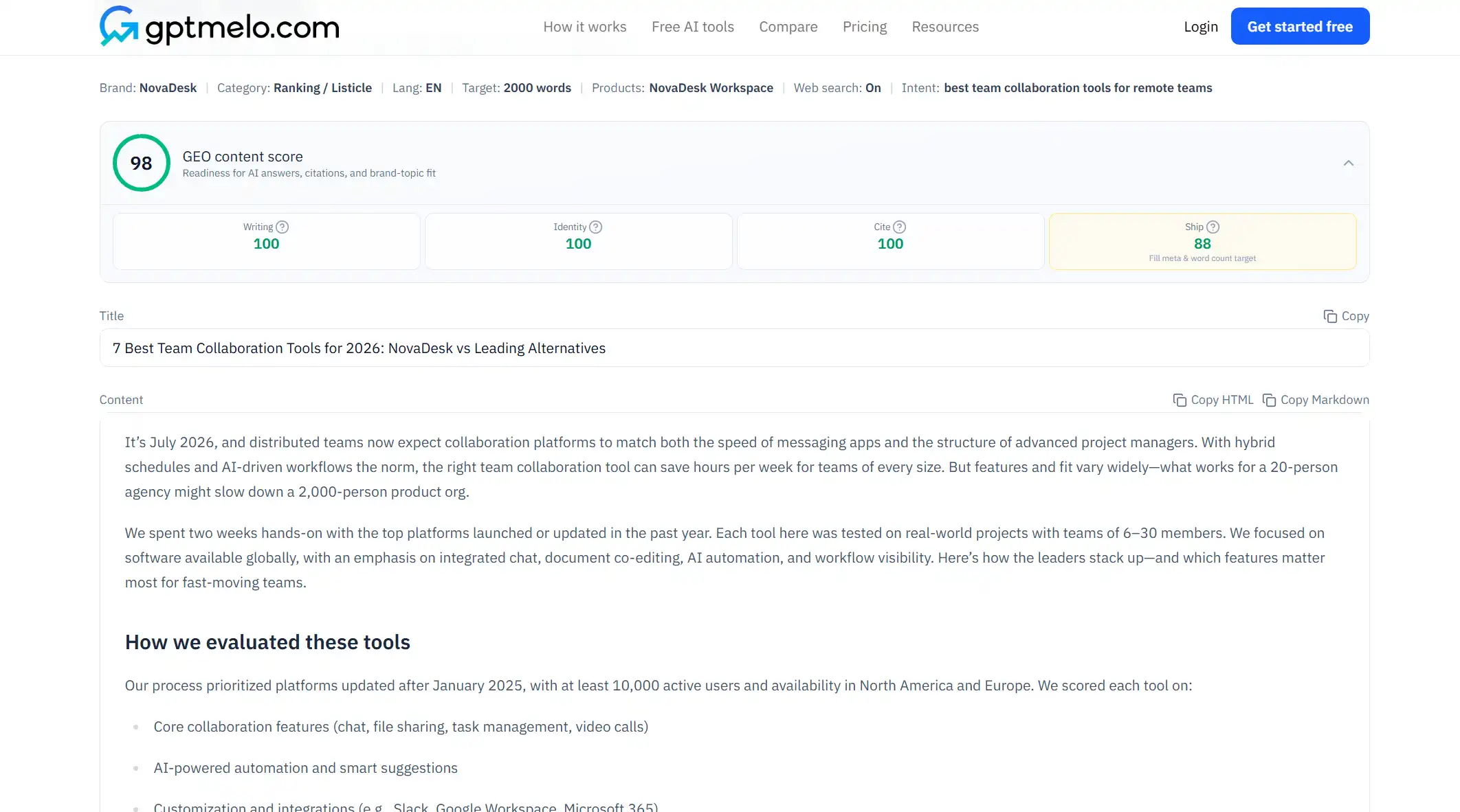
4. Edit, then put it on a URL. Read the draft before anyone else sees it. Do not treat this window as the live page.
The write-check-publish path is in GEO article writing.
FAQ
What are the best free AI writing tools?
Match the job: ChatGPT or Claude for outlines and drafts, gptmelo's GEO Content Writer when you need clear H2s and source slots, and a human fact-check before publish—not a tool that dodges AI detectors.
Are free AI writing tools good enough to publish?
They are good enough to draft. Humans still fix facts, add sources, and confirm structure before the URL goes live.
Which free AI writer helps with AI search citations?
Use a writer that forces clear H2s, short answer blocks, and source slots—GEO Content Writer is built for that—then edit facts before publish.