
Robots.txt Generator: Scaffold Rules, Then Test the Live File

Key takeaways
- A robots.txt generator scaffolds User-agent groups—you still set intent and test the live root URL.
- Edit before deploy: close staging for everyone, add AI agents only on purpose.
- Confirm the live file is plain text with an AI crawler check after every generator or plugin save.
What does a robots.txt generator do? It outputs a plain-text starter with User-agent groups, Allow / Disallow paths, and often Sitemap: lines so you fill in real private paths instead of inventing syntax. You still decide who may fetch what, ship the file at the domain root, and test the live URL. A generator that looks fine in a browser form does not control crawlers until https://yoursite.com/robots.txt returns that text.
What you get from a generator
A typical robots.txt generator asks for:
- Paths to block (staging, search, account, cart)
- Optional AI or search user-agents to Allow or Disallow
- One or more Sitemap URLs
It produces plain text (no HTML wrapper). Google Search Central documents the protocol; many AI web crawlers reuse the same Allow/Disallow model with their own user-agent names.
A generator is not:
- A security lock (guessable URLs still need auth)
- A ranking boost via clever comments
- A substitute for
noindexor login walls - An excuse to skip a live test after CMS or CDN changes
If you prefer writing the first file entirely by hand, use create a robots.txt file. For practices after the file exists, see robots.txt best practices.
Generator vs plugin editor vs hand write
| Approach | Works when |
|---|---|
| Online / form generator | First domain file, or you need a readable starter before commit |
| CMS / SEO plugin robots editor | WordPress or similar already owns root SEO settings |
| Hand write in repo | Small quarterly edits, or generators keep injecting block-all packs |
Whichever path you pick, you still need domain-root plain text that your deploy ships (a file in the repo, or settings the host actually serves).
Step 1: Shortlist paths and agent intent before you click Generate
Before any form, write:
- Private paths that must stay Disallow for
User-agent: *(staging, preview, account, internal search) - Public paths you want fetchable (docs, pricing, marketing)
- Per AI agent intent only when policy is clear—see GPTBot robots.txt for one named agent
Skip viral “block all AI bots” checkboxes until you read which agents the pack lists. Some defaults hide docs from crawlers you still want for answers.
Step 2: Run the generator and copy the draft
Fill the generator (or plugin form) with your private paths and Sitemap URL. Example starter many tools output:
User-agent: *
Disallow: /staging/
Disallow: /search
Disallow: /account/

Sitemap: https://yoursite.com/sitemap.xml
Replace paths and the Sitemap URL with live values. Add a GPTBot (or other AI) group only after intent is written down—do not leave a blank “AI bots” toggle that Disallows / sitewide by accident.
Step 3: Edit the draft before you trust it
Generated files fail in predictable ways:
- Capital
Robots.txton a case-sensitive host - Disallow only for GPTBot while
*still Allows staging - Missing
Sitemap:lines, or sitemap URLs that 404 - Comments or HTML wrappers the form saved into the body
- Rules that exist only in the plugin UI and never at the live root
Read the output aloud against your intent list. If a line does not match a decision you made, delete it.
Step 4: Deploy at the domain root
Commit the file (or save the plugin) so production serves https://yoursite.com/robots.txt. Static sites often use public/robots.txt; CMS hosts need a root rewrite—not only /blog/robots.txt.
After deploy, open the URL in a private window. You need HTTP 200 and plain text—not a login wall, HTML error, or CDN challenge page.
Multi-domain note: each domain name needs its own generated file. A www vs apex mismatch is a common miss after a “one click” SEO tool save.
Step 5: Test with an AI crawler check
Paste the live robots URL into gptmelo’s AI Crawler Checker. Confirm Allow/Disallow matches intent for the agents you named. Re-run after every generator export, plugin save, or CDN change.
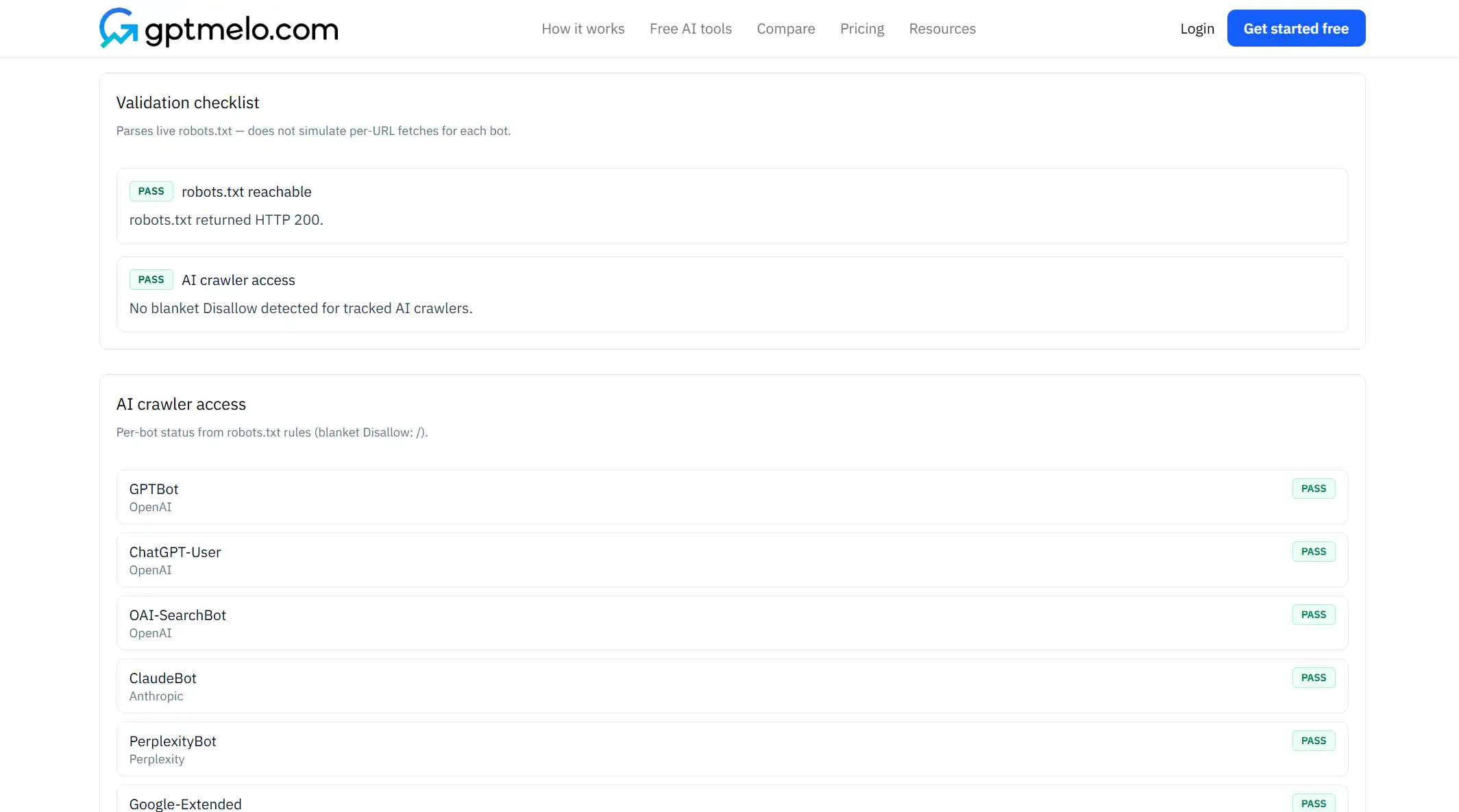
If the checker shows an HTML body, fix hosting before you tweak Disallow lines. Pair Sitemap: pointers with an XML sitemap checker when listed URLs break.
WordPress and other CMS generators
WordPress SEO plugins often include a robots editor labeled “generator.” After save:
- Open the live root URL yourself
- Confirm theme or security plugins did not inject a second file
- Re-run the AI crawler check
SaaS builders may expose “custom robots” under SEO settings. If the builder cannot serve /robots.txt at the apex, finish the job on hosting that can—otherwise the generator UI is a draft that crawlers never read.
Plugins that rebuild robots.txt: Some rebuild the file on every theme update. Keep a copy in git or a change note so a “regenerate” click does not wipe intentional GPTBot Allow lines.
Common mistakes
- Treating the generator preview as live without opening the root URL
- Pasting a block-all AI pack without reading the agent list
- Saving rules only in a plugin while production still serves an old file
- Allowing staging on
*while only blocking one AI agent - Shipping
Robots.txtwith a capital R on a case-sensitive host - Skipping a live test after CDN, middleware, or “SEO” plugin updates
Free check: the scaffold, then the live file
Open the AI Crawler Checker. Enter the domain that received the generator export — not the preview pane. No account required.
1. Fill the form. Paste the live production domain (not staging, not a plugin preview).
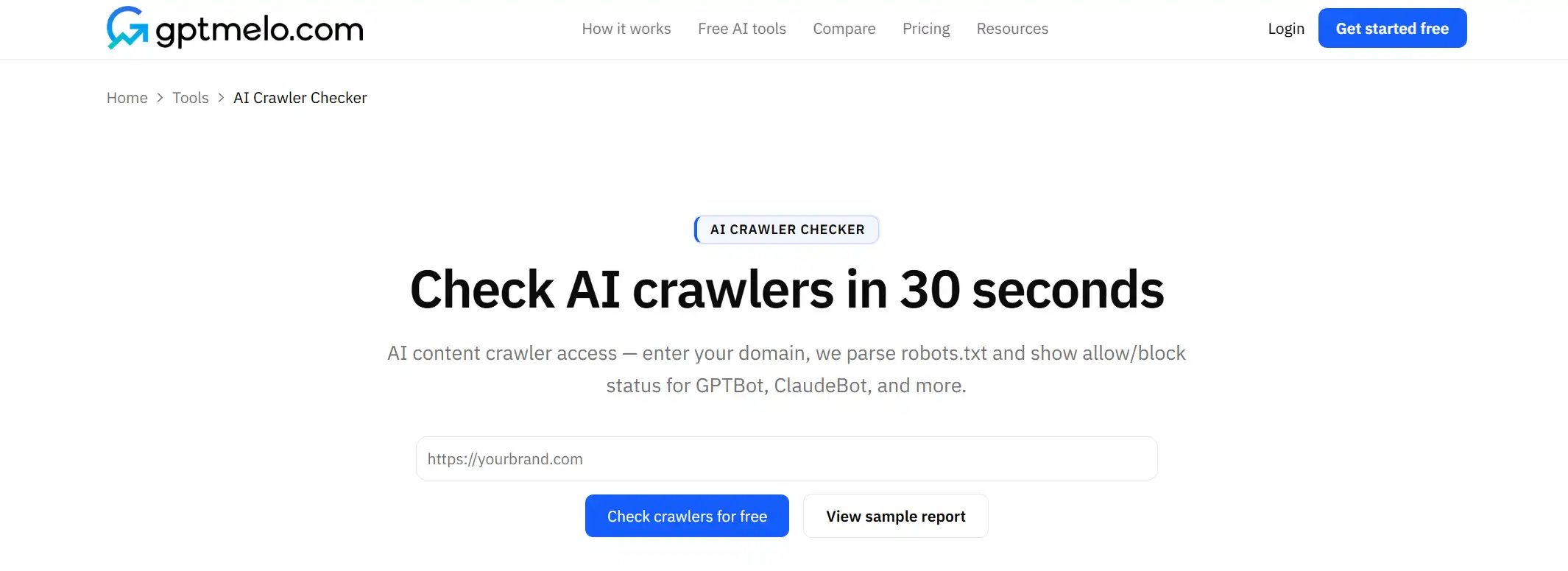
2. Check. Click Check crawlers for free.
3. Read the result. You get per-bot allow/block plus a robots.txt preview. The screenshot is a sample — yours follows the domain you entered. Glance at whether Allow/Disallow match the scaffold. This parses robots.txt; it does not fetch as each bot.
4. Fix the live file, then check again. Edit robots.txt at the domain root, deploy, re-check. Do not treat this window as the file.
FAQ
What does a robots.txt generator do?
It builds a starter robots.txt with User-agent and Allow/Disallow lines (and often Sitemap URLs) so you edit paths and agent intent instead of guessing syntax from scratch.
Is a robots.txt generator enough without testing?
No. Generators and CMS editors can save rules that never appear at https://yoursite.com/robots.txt, or paste block-all AI snippets that hide public docs.
Should I use an online generator or write robots.txt by hand?
Use a generator for a first draft or CMS form; hand-edit for small quarterly changes. Either way, deploy to the domain root and test the live URL.


