Site Audit Checklist: Crawl, Schema, and Quotable Pages

Key takeaways
- Run a site audit checklist in order: access, discovery, HTTP, schema, then quotable page blocks.
- Fix blocked crawlers and broken sitemap entries before rewriting intros.
- Use free URL checks for spot fails; Site Audit when you need one full-site queue.
A typical SEO audit stops at title tags and broken links—that is the minimum, not enough for AI citations. The fastest site in your market can still get ignored if AI crawlers cannot access, discover, and quote your best pages. This checklist walks the steps in order. For the why behind citation readiness, use the GEO audit narrative; for buying a crawl product, see site audit software.
| Situation | I’d start here | Skip if |
|---|---|---|
| Leadership wants a single backlog this quarter | Full checklist, then Site Audit across the site | You only need a title-tag rewrite |
| Docs never show in AI answers | Access + discovery first | Policy already blocks those crawlers on purpose |
| Engineering has a long SEO crawl queue | Filter for robots, sitemap, and schema fails | Every issue is already a known 404 list |
| You ship weekly and break generators | Re-check after each CDN/robots deploy | The file has not changed in months |
Crawl access: robots.txt and AI crawler rules
Start by checking whether the site blocks the bots you want to reach. robots.txt is the first file many crawlers read. If GPTBot, ClaudeBot, or Google-Extended are Disallowed by mistake, later schema and copy work never get fetched.
Use gptmelo’s AI Crawler Checker on the live robots URL. List every Disallow line, then confirm intent in plain words. If you see Disallow: / for an agent you meant to allow, fix that before any other step.
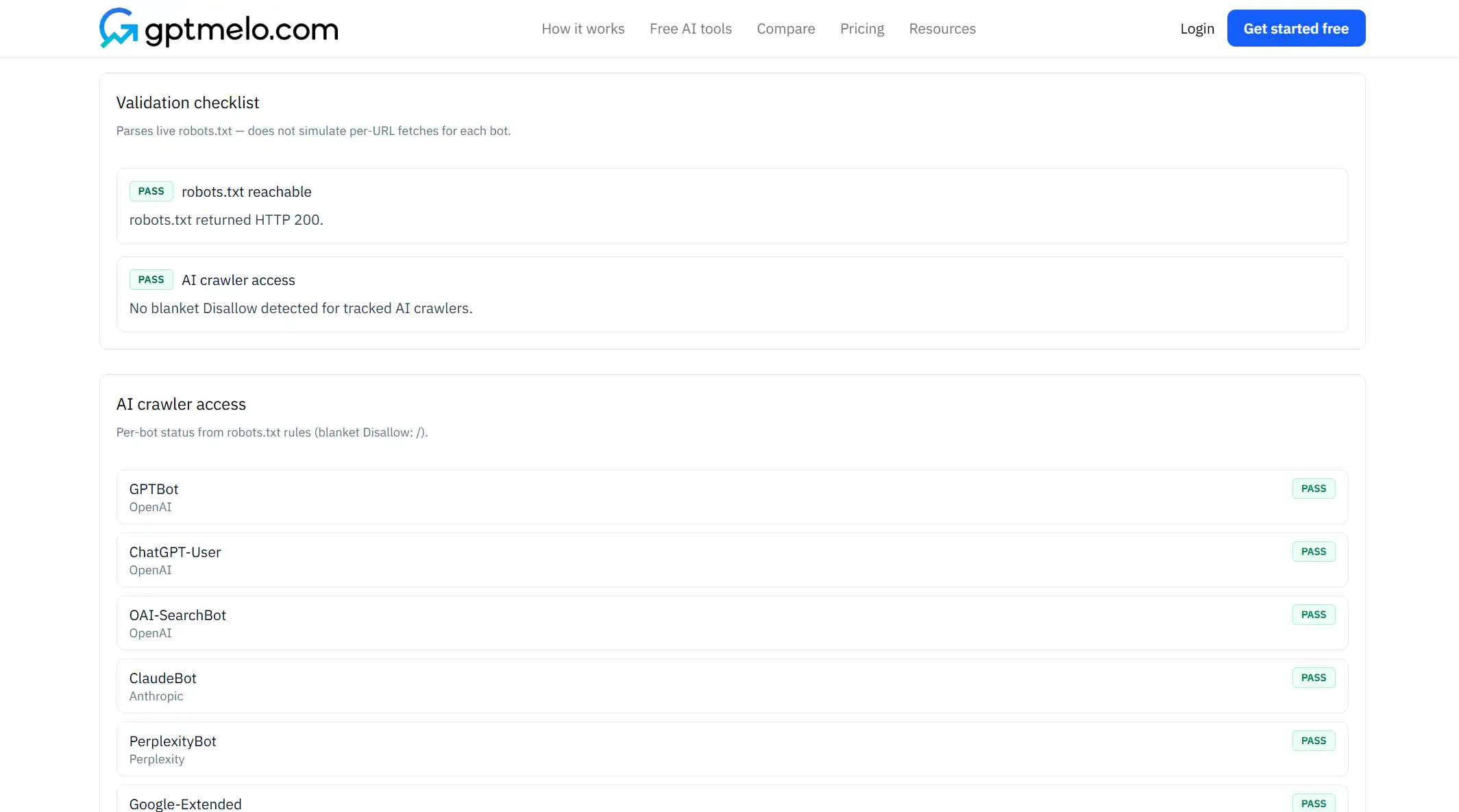
- Check robots.txt Allow/Disallow for GPTBot, ClaudeBot, Google-Extended, and your other named agents
- Confirm crawl-delay or blocks on AI bots are intentional
- Re-test after every deploy that regenerates robots.txt
Discovery: XML sitemap and page inventory
Once bots are allowed in, they need a clear URL list. Your XML sitemap should list primary indexable pages—not forgotten unlinked URLs, not archive indexes you never meant to promote. Google Search Central still recommends keeping a sitemap under 50,000 URLs or 50MB uncompressed. Small sites still need freshness and coverage checks.
Spot-check the live sitemap with an XML sitemap checker or the XML Sitemap Checker. Look for missing priority URLs, duplicates, and redirected entries.
- Locate sitemap.xml and submit it in Search Console (and Bing if you use it)
- Validate structure, freshness, and canonical URLs
- Remove non-canonical, noindex, or duplicate URLs from the sitemap
Technical HTTP: status codes, redirects, and Core Web Vitals
Crawlers skip pages that error or loop. Each URL in your sitemap and main nav should return 200 (or one clean redirect), load over HTTPS, and avoid long redirect chains. Batch-check status codes; use PageSpeed Insights or Search Console field data for Core Web Vitals (LCP, INP, CLS) on templates that matter.
- Batch-test priority URLs for 200 OK responses
- Fix 404s and redirect loops; keep chains short
- Confirm HTTPS sitewide (no mixed content on key templates)
- Run PageSpeed Insights on sample templates for Core Web Vitals
Structured data: schema markup
Schema.org markup helps search engines and AI systems parse entities on the page. Broken JSON-LD will not invent expertise, but valid Article, FAQ, Product, or Organization markup still beats empty or conflicting tags. Prefer markup that matches visible copy.
Validate with a schema markup validator or the Structured Data Checker. Fix errors before polishing warnings.
- Add and validate JSON-LD for Article, Product, FAQ, and Organization where relevant
- Include headline, datePublished, author, and mainEntity fields when those types apply
- Re-test sample pages after CMS or FAQ deploys
Quotable blocks: clear, extractable answers
Technically clean pages still get skipped when the HTML never answers the query in a block a model can lift. Review priority pages for short summaries, numbered steps, or lists that answer the page’s core question under a clear H2.
Use a GEO Content Checker on a few docs hubs or pricing URLs. Pages missing these blocks often lose AI citations even when robots and sitemaps are fine. The GEO checklist keeps structure checks consistent.
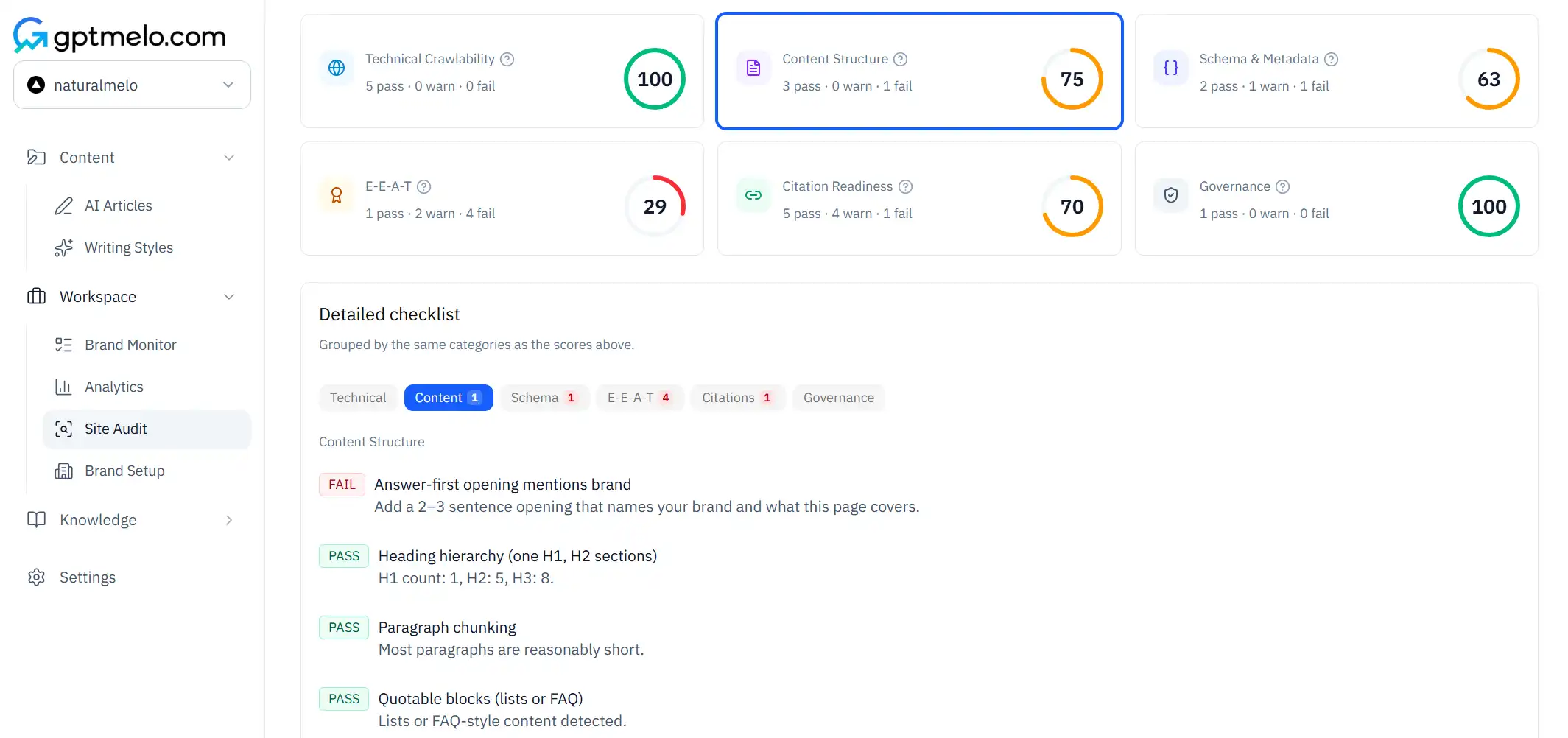
- Add answer boxes, summary paragraphs, and clear headings on priority pages
- Prefer numbered lists, bullets, or short definition lines for steps and key claims
- Reword dense paragraphs into scannable, standalone statements
Re-check: spot fixes and full-site audit
After individual fixes, re-crawl or sample again to catch regressions. Free checkers handle spot checks on single URLs—good for verifying one fix. A full-site product is the right next step before a major campaign or migration, or when leadership wants one backlog.
When you need pass/warn/fail across the domain, queue Site Audit.

- Re-crawl or re-sample the site with your chosen audit tool
- Triage by impact: access and discovery first, then whether answers are extractable
- Export a backlog; assign owners; track each fix to completion
Checklist vs GEO audit vs software shopping
A standard site audit checklist covers technical and SEO basics—robots.txt, sitemaps, status codes, schema, and page speed. A GEO audit covers crawl access plus citation readiness (generative engine optimization)—not a local-SEO or regionalization checklist. Use that post for the why; use this page to complete the steps.
Site audit software compares products by the gap you can fix. Buying another suite makes sense for ongoing monitoring or large crawls. For many teams, this checklist plus free URL checkers and one full-site audit per quarter covers the biggest gaps.
Common mistakes
- Fixing copy or UX before crawl and discovery blockers—crawlers never see the rewrite
- Assuming a sitemap is correct because the file exists—many list redirected or noindex URLs
- Adding schema everywhere without validating—invalid markup gets ignored
- Shipping long articles with no quotable sections—summaries need extractable blocks
- Using only free spot-checkers for a sitewide review—they miss patterns across the site
Free check: the full-site queue after spot checks
Run the checklist steps on priority URLs with the free checkers first. When the same fail repeats across templates, Site Audit is the full-site pass/warn/fail queue—not another one-URL form.
Keep the AI ready website framework handy for the field list behind those rows.
FAQ
What is a site audit checklist?
An ordered list of checks—crawl access, sitemap discovery, HTTP health, schema, and page structure—so you fix blockers before polishing copy.
How is a site audit checklist different from a GEO audit?
A GEO audit explains the citation-readiness job; this checklist is the step list you tick. Use both: narrative in geo-audit, execution here.
Do I need paid site audit software for this checklist?
No for spot checks on priority URLs. Use a full-site product when leadership wants one pass/warn/fail backlog across the domain.