AI Search Content Optimization Checklist: Ten Pre-Publish Steps
Key takeaways
- Run one priority URL through ten steps before you scale templates.
- Editorial, trust, and markup steps each catch different failures.
- End with a free structure check—fix the biggest gaps first, then re-run.
Ten steps cover most pre-publish gaps when you want AI search systems to lift a clear answer from your page. This checklist is the runbook for one priority URL—finish it before you roll the pattern across a template. For the longer why-and-how, use the AI content optimization guide; keep this page as the pass you actually tick.
| If this is you | I’d start here | Skip if |
|---|---|---|
| Flagship guide or how-to | Steps 1–3 (answer + list + short paragraphs) | You only need a title-tag tweak |
| Pricing or comparison page | Steps 2 and 9 (complete tables) | Cells still say “contact sales” |
| Trust-sensitive or YMYL topic | Steps 4–6 (author, date, sources) | Claims stay anonymous and undated |
| FAQ-heavy support URL | Steps 7–8 (visible HTML + matching schema) | Answers live only inside JS accordions |
| Template about to scale | Step 10 (structure check), then document the pattern | You have not fixed one live URL yet |
Step 1: State the query in the reader’s words
Open the intro with the question people type—or the claim they want quoted—in the first sentence.
Weak: “AI search is changing how marketers think about content.”
Strong: “AI search content optimization means shaping a page so a model can lift one answer, list, or table row without rewriting your site.”
If the first 100 words cannot stand alone, rewrite before you touch keywords.
Step 2: Put a scannable block near the top
Within the first two screenfuls, add either:
- Three to seven bullets with parallel grammar, or
- A table with complete cells (no empty em dashes pretending to be data)
Retrieval systems chunk pages. A buried answer in paragraph four rarely ships. A short list under a clear H2 often does.
Step 3: Break walls of text
No paragraph longer than about 120 words without a list or table break. Split “benefits + features + vague stat” into: one claim sentence, bullets for features, one sourced line for the number.
For comparison layouts, fill every cell you show. Incomplete rows read as unfinished to people and to extractors.
Step 4: Name the author on trust-sensitive pages
Guides that advise money, health, or legal next steps need a real byline—name, role, and a link to a profile when you have one. Anonymous how-tos lose attribution fights even when the structure is clean.
Product marketing pages can stay brand-led; still keep Organization signals consistent in title, footer, and schema where you use them.
Step 5: Show when facts last changed
Add a visible updated line on pages where pricing, limits, or bot rules move. Models and readers both discount undated claims that sound like forever promises.
Use as of dating in the sentence when a vendor detail can change; do not invent a refresh date you did not verify.
Step 6: Attribute every stat—or drop the number
Replace “studies show” with a named source and year when you have one. If you lack a source, describe the observation without a fake percentage.
Works: “Google’s documentation on FAQ structured data requires visible answers to match schema markup.”
Fails: “Research shows 60% faster indexing” with no link.
Step 7: Render FAQ answers in HTML
FAQ blocks are high-value extraction targets when the text is in the DOM—not only behind accordion JavaScript.
Checklist inside the checklist:
- Each question is a real heading or explicit FAQ label.
- The answer appears without a click.
- Accordion, if you use one, is supplementary—not the only copy.
Step 8: Match FAQ schema to visible answers
After CMS updates, schema often drifts from the HTML. Validate that FAQ (or Article) markup does not contradict the body on factual claims.
Run the Structured Data Checker on the template URL after markup changes—once—before you scale.
Step 9: Fill comparison and pricing tables
Same columns for every row. Name the next tier instead of “and up.” If a cell has no public number, say what the reader must check on the vendor page—do not leave a blank and hope.
Step 10: Score the draft, then fix the biggest gaps first
Paste the URL or text into gptmelo’s GEO Content Checker. Typical order:
- Intro fails → rewrite as direct answer + list.
- Mid-page fails → split walls of text into claim + bullets.
- Table fails → fill empty cells or remove the row.
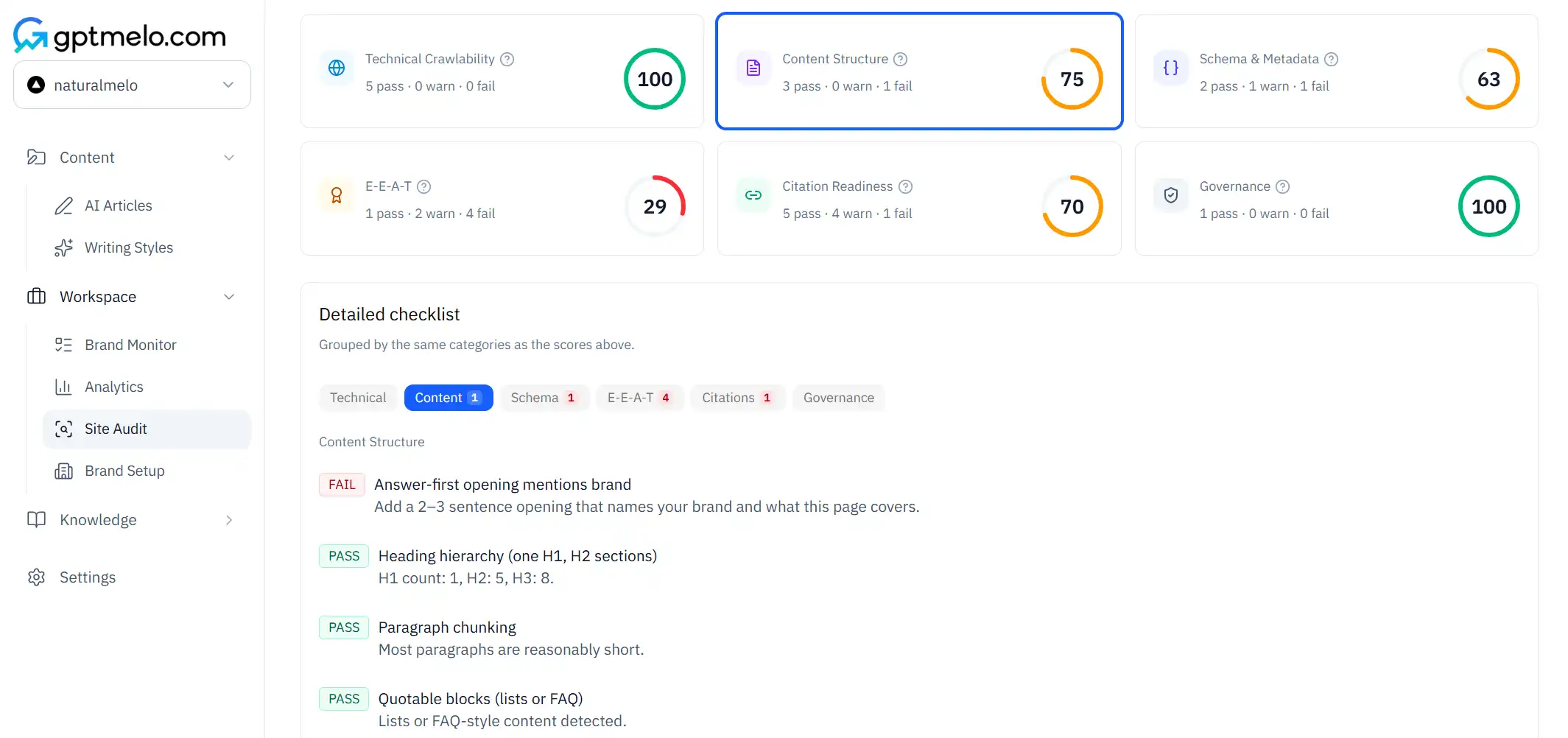
Re-run after fixes. Green SEO-plugin scores do not replace this pass. For the wider checker stack (crawl, schema, citation), skim AI search optimization tools.
How to run the ten steps without stalling
Treat the list as four buckets so a busy editor can finish one URL in a sitting:
| Bucket | Steps | Owner |
|---|---|---|
| Editorial | 1–3 | Writer / editor |
| Trust | 4–6 | Editor + SME |
| Markup | 7–9 | SEO / eng on the template |
| Confirm | 10 | Whoever ships the URL |
Do not assign ten different people to ten steps. One owner drives the URL; specialists join only for schema or CMS blockers.
When the template passes, write the required blocks into your CMS docs (intro answer, list, source line, FAQ HTML). Then re-check after theme or plugin releases—not after five hundred URLs migrate blind. For the write, score, and publish loop in one workspace, see how GEO article writing works.
Common mistakes
- Running the checklist on fifty URLs before one flagship page passes.
- Keyword repetition in every H2 while the intro never answers the query.
- FAQ answers trapped in JavaScript with no HTML fallback.
- Tables with empty cells treated as “fine for now.”
- Shipping because an SEO plugin turned green without a structure pass.
- Updating schema without updating visible copy after a pricing change.
- Linking a footer dump of related posts instead of weaving one guide at the moment of need.
Free check: the URL after the ten steps
Open the GEO Content Checker. Paste the page you just finished — the URL after the ten steps, not a second template. No account required.
1. Fill the form. Keep From URL selected and paste that live page. Switch to Paste content only if fetch is blocked.
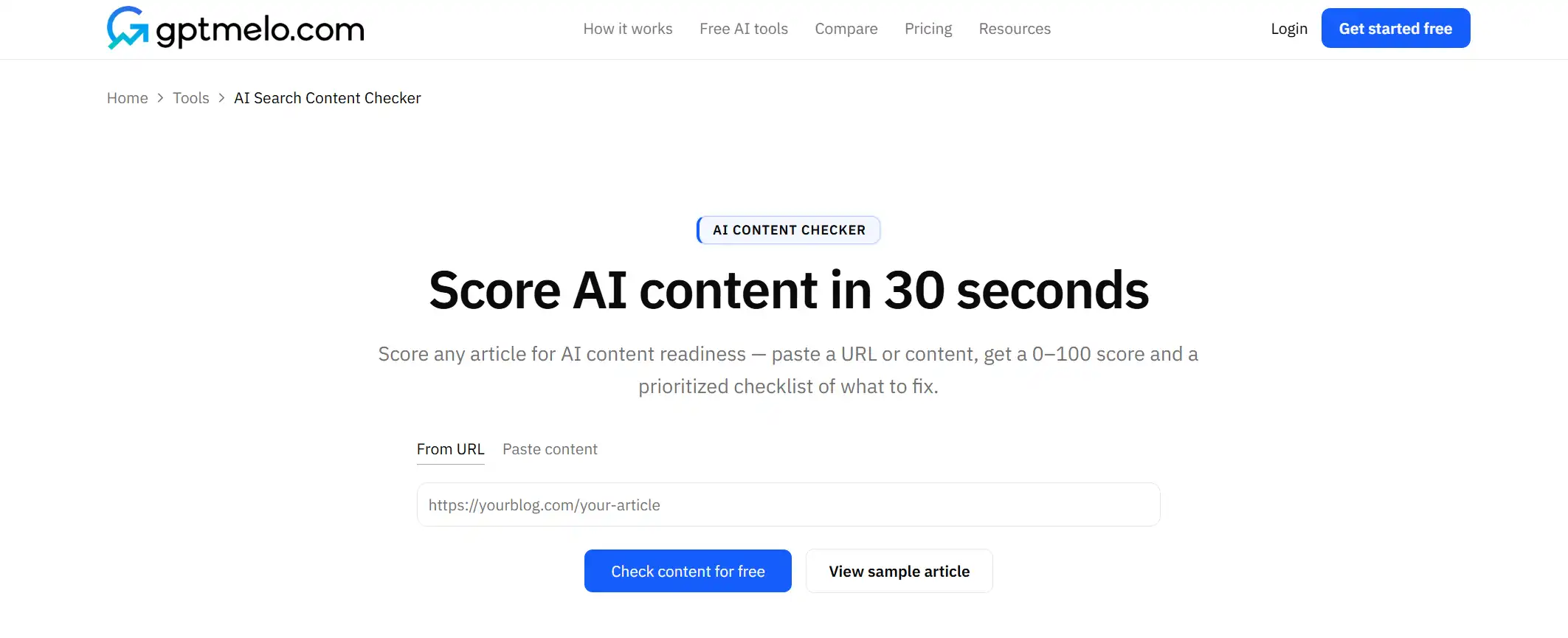
2. Check. Click Check content for free.
3. Read the result. You get a score plus pass/warn/fail rows (topic clarity, brand fit, readability, structure, quotable blocks). The screenshot is a sample — yours follows the URL you pasted. Glance at the fail rows first. The score is not a ranking guarantee.
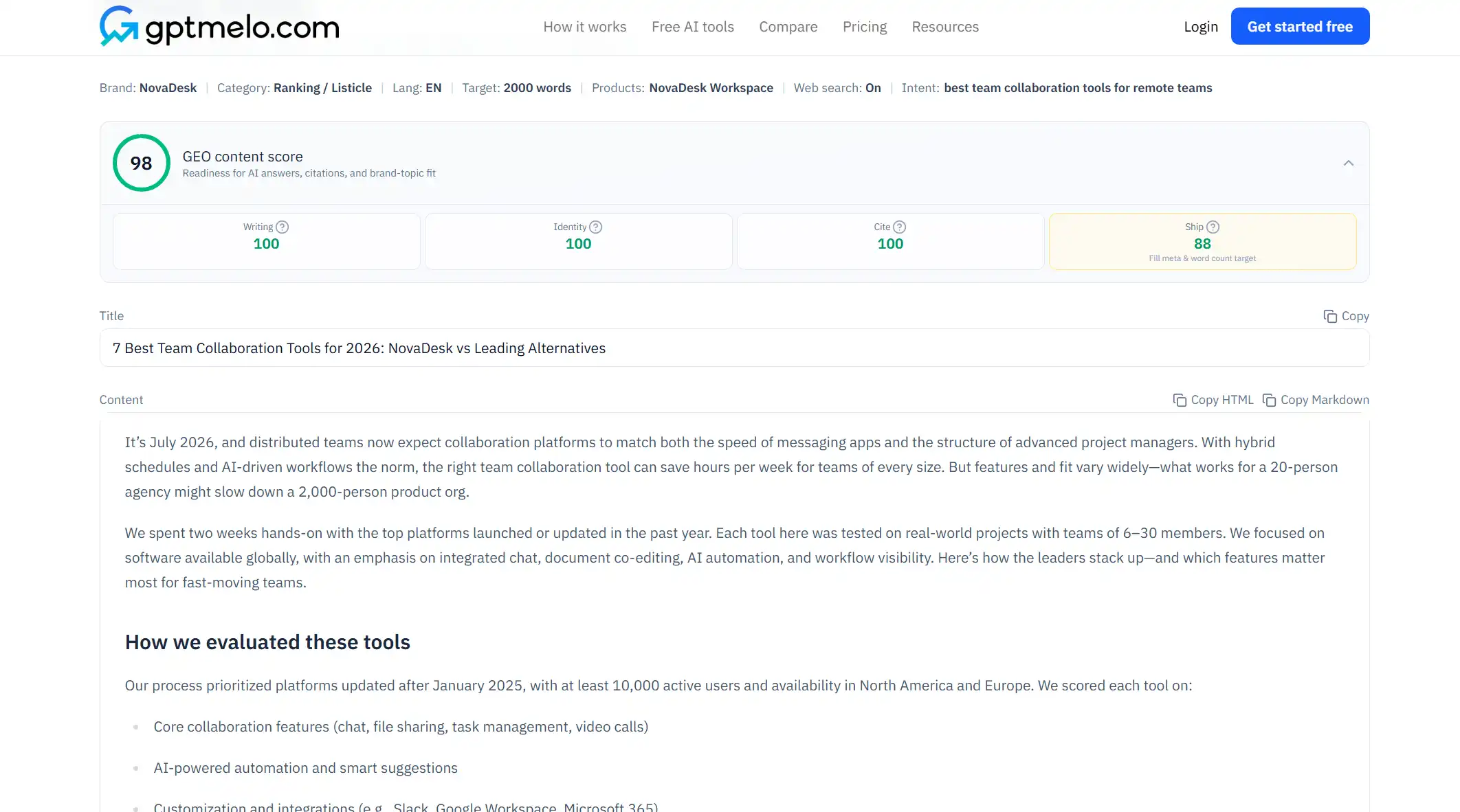
4. Fix the live page, then check again. Edit the HTML people and models actually fetch. Do not treat this window as the page.
For a printable pass list, use the GEO checklist.
FAQ
What is an AI search content optimization checklist?
A fixed sequence of structure, trust, and markup checks so AI systems can extract answers—not a keyword-density scorecard.
How many pages should I run through the checklist first?
One revenue or support URL until it passes, then copy the pattern to the template—not fifty pages at once.
Do I need paid SEO tools for this checklist?
No. Structure, sources, FAQ HTML, and a free content check cover most pre-publish gaps; paid suites help later for monitoring.