GPTBot robots.txt: Allow, Block, and Test Crawler Rules

Key takeaways
- Blocking GPTBot hides pages from some AI pipelines—not always what you want.
- Test robots.txt after every deploy.
- Pair crawler rules with llms.txt when you want selective exposure.
Blocking GPTBot hides pages from some AI pipelines—not always what you want. GPTBot is OpenAI’s crawler user-agent; your robots.txt Allow and Disallow lines decide whether it can fetch paths. Misaligned rules are a common reason docs never show up in AI answers even when the HTML is fine.
GPTBot and robots.txt
OpenAI documents GPTBot as a crawler that respects robots.txt. Rules live at https://yoursite.com/robots.txt—domain root, not under /blog/.
robots.txt can:
- Allow or Disallow paths per user-agent (including
GPTBot) - Point crawlers at a sitemap with
Sitemap:lines
It cannot:
- Guarantee citations or rankings
- Replace
noindex/ authentication for private pages - Fix thin or unstructured HTML—see AI search optimization tools when the gap is content quality, not crawl access
Official reference: OpenAI GPTBot documentation. Treat vendor docs as the source of truth when user-agent names change.
Allow vs block: pick the intent first
Allow (or omit a GPTBot block) when you want public marketing, docs, and pricing discoverable by that crawler.
Disallow GPTBot when:
- Counsel or policy forbids training crawls on those paths
- Paths are staging, internal search, or account areas (block those for everyone, not only GPTBot)
- You are fine losing that crawler’s fetches in exchange for stricter opt-out
Do not copy a viral “block all AI bots” snippet without reading which agents it lists. Some packs block crawlers you still want if the goal is AI answers citing your docs. The AI ready website framework covers crawl readiness beyond one user-agent.
Example GPTBot directives
Minimal allow-everything for GPTBot (other agents unchanged):
User-agent: GPTBot
Allow: /
Block GPTBot sitewide:
User-agent: GPTBot
Disallow: /
Block only staging and search, allow the rest:
User-agent: GPTBot
Disallow: /staging/
Disallow: /search
Allow: /
Syntax notes:
- One
User-agentgroup per agent (or*for all) - More specific Disallow paths still need testing—trailing slashes and CMS prefixes matter
- Comments start with
#; keep a one-line note of who approved a sitewide block
Step 1: Inventory who you already block
Open live robots.txt. List every User-agent that mentions AI or LLM crawlers (GPTBot, ClaudeBot, Google-Extended, PerplexityBot, and others as they appear in your file).
For each agent, write the business intent in plain words: “allow public docs”, “block training on /blog only”, “deny all”. If the file and the intent disagree, fix the file—not the blog post.
Step 2: Edit robots.txt in source control
Change the file where deploys actually read it (repo public/robots.txt, CDN rule, or CMS robots field). Avoid one-off edits on production that the next release overwrites.
After merge:
- Confirm
https://yoursite.com/robots.txtreturns200and your new group - Confirm staging hosts are not serving production rules by accident
- Confirm
Sitemap:URLs still resolve
Step 3: Test with an AI crawler checker
Paste the live robots URL or contents into gptmelo’s AI Crawler Checker. Confirm GPTBot (and any other agents you care about) match the Allow/Disallow you intended.
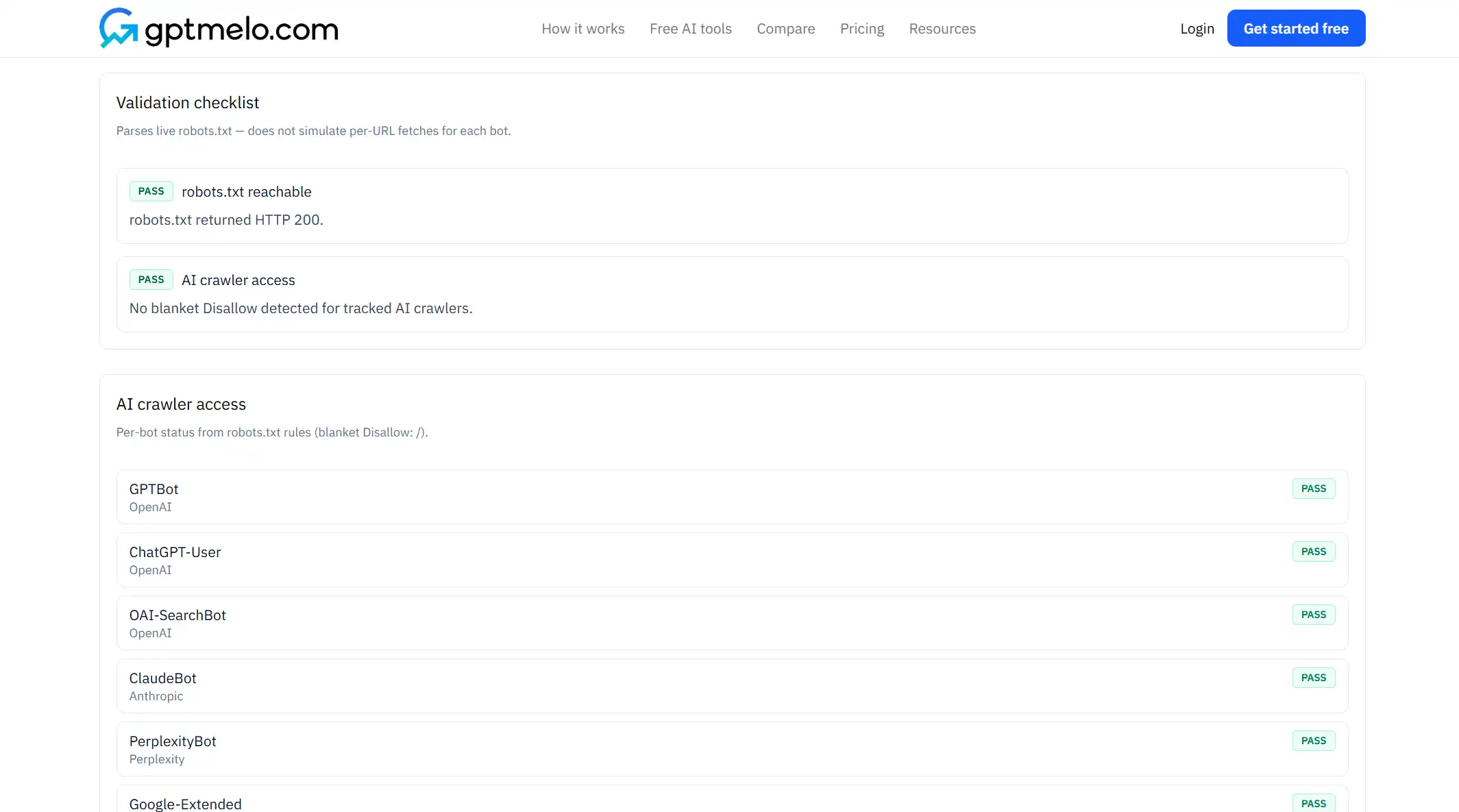
Re-run after every deploy that touches redirects, CDN, or robots generators. Broken robots.txt often ships as “empty” or HTML error pages—checkers catch that faster than a manual skim.
Step 4: Align llms.txt and meta robots
If you publish llms.txt, do not list URLs you Disallow for the agents you hope will use the index. Mixed signals waste both files.
Also check HTML:
noindexon pages you still Allow in robots.txt means “crawlable but please don’t index” for search—behavior for AI pipelines varies; do not assume one layer covers both- Login walls and soft 404s block crawlers regardless of Allow
When leadership wants a full crawl-and-structure review, pair crawler rules with the GEO site audit workflow.
Other AI user-agents
You will see more than GPTBot. Treat each as its own product decision:
| Agent (examples) | Typical question |
|---|---|
| GPTBot | OpenAI training / crawl policy for your paths |
| ClaudeBot / Anthropic crawlers | Same—read current Anthropic docs before copying snippets |
| Google-Extended | Google’s Gemini / AI-related crawl control (separate from Googlebot) |
| PerplexityBot | Answer-engine fetch behavior |
Exact names and policies change. Prefer official vendor pages over blog roundups when you edit production robots.txt.
robots.txt vs sitemap vs llms.txt
| File | Job for AI visibility |
|---|---|
| robots.txt | Allow or block crawler paths |
| sitemap.xml | URL inventory for discovery |
| llms.txt | Curated, described URLs for LLM-oriented discovery |
Blocking GPTBot while listing the same URLs in llms.txt confuses the story. Fix robots first, then refresh llms.txt.
From edit to publish
- Write the intent —allow public docs / block staging / sitewide opt-out.
- Edit robots.txt in the repo that deploys to production.
- Deploy and open the live file in a private window.
- Run the AI Crawler Checker on GPTBot and any other agents you named.
- Align llms.txt and noindex so layers agree.
- Log the change in release notes (who approved a sitewide Disallow).
Skipping step 4 is how “we allowed GPTBot” tickets reopen after a CDN robots override.
Common mistakes
- Pasting a “block all AI” gist without reading the user-agent list.
- Disallowing
/for GPTBot while expecting ChatGPT citations of those pages. - Editing production robots.txt that the next CI deploy overwrites.
- Serving robots.txt as an HTML soft 404.
- Listing Disallowed URLs in llms.txt.
- Assuming
User-agent: *Disallow covers GPTBot when a later GPTBot group Allows everything.
Free check: GPTBot allow or block
Open the AI Crawler Checker. Enter the production domain — this is GPTBot policy, not a Googlebot-only test. No account required.
1. Fill the form. Paste the live production domain (not staging, not a plugin preview).
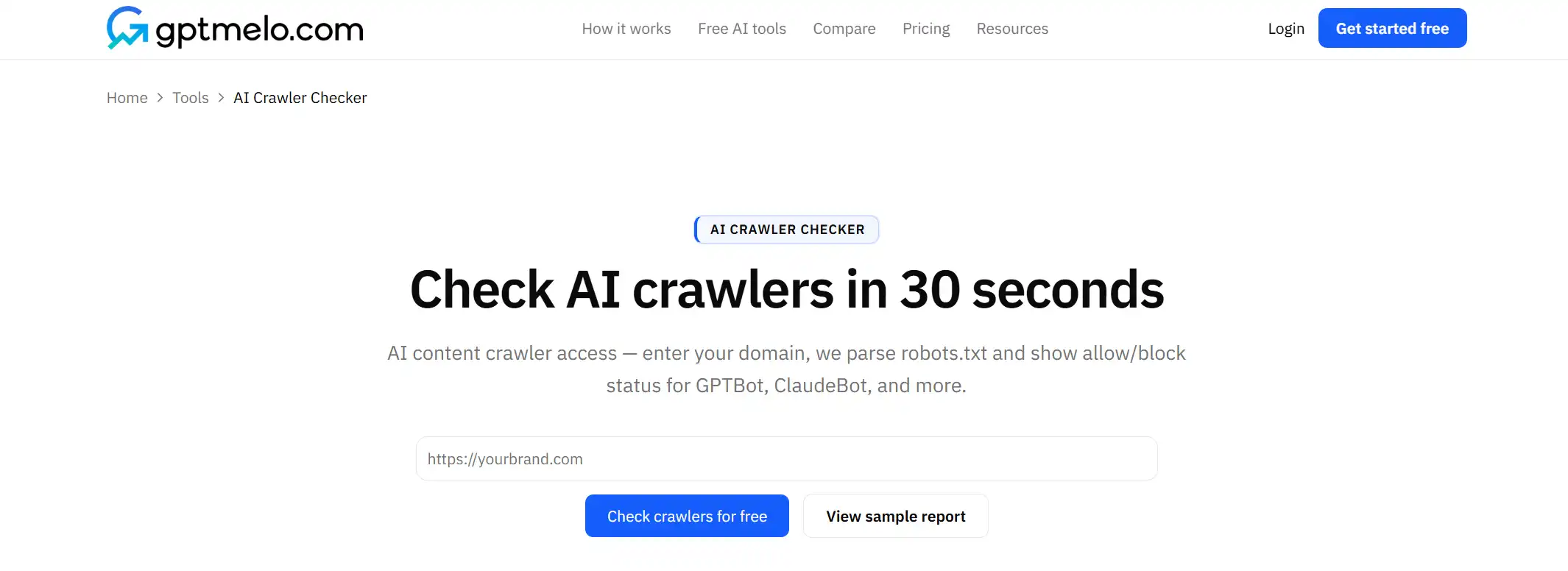
2. Check. Click Check crawlers for free.
3. Read the result. You get per-bot allow/block plus a robots.txt preview. The screenshot is a sample — yours follows the domain you entered. Glance at the GPTBot row. This parses robots.txt; it does not fetch as each bot.
4. Fix the live file, then check again. Edit robots.txt at the domain root, deploy, re-check. Do not treat this window as the file.
FAQ
Should I block GPTBot?
Block only if you explicitly do not want OpenAI training crawlers on those paths. Allow if you want those pages available to GPTBot.
Where do I add GPTBot rules?
In robots.txt at the site root, with a User-agent: GPTBot block and Allow or Disallow lines.
Do AI crawlers follow noindex?
Treat robots.txt and meta robots as separate layers—verify both. A Disallow and a noindex can still leave mixed signals if other agents are allowed.