XML Sitemap Checker: Indexability for AI Crawlers

Key takeaways
- If crawlers cannot discover a URL, AI cannot cite it.
- Keep priority URLs in the sitemap with accurate lastmod.
- Fix 404s and redirects sitemap entries expose.
If a URL is not in your sitemap and nothing links to it, many crawlers never fetch it—and AI systems cannot cite what they never see. An XML sitemap checker validates that listed URLs resolve, are not blocked by robots, and carry honest lastmod dates before you blame content quality for missing citations.
What an XML sitemap does
sitemap.xml (or a sitemap index pointing at child files) is a machine-readable list of URLs you want crawlers to know about. Google Search Central documents the protocol; most search and AI crawlers treat it as a discovery hint, not a guarantee of crawl or citation.
A sitemap does not:
- Override
Disallowin GPTBot robots.txt or other agents - Fix weak intros, missing sources, or thin pages (AI content optimization)
- Replace internal links or llms.txt when you want a curated list for AI crawlers
It does help teams surface orphan URLs, stale lastmod values, and redirect mistakes before they become silent discovery gaps. The AI ready website framework covers the full crawl stack; this guide is how to validate and fix the sitemap.
What to check before you trust the file
Walk these signals on priority URLs (pricing, docs, flagship guides):
| Signal | Healthy | Broken |
|---|---|---|
| HTTP status | 200 (or one clean 301 to canonical) | 404, 410, or redirect chains |
| robots access | URL not Disallowed for agents you care about | Listed in sitemap but blocked |
| lastmod | Moves when content actually changed | Stuck on launch day while copy changed |
| Canonical | Matches the URL you want cited | Points at deprecated slug |
| Too many junk URLs | Important paths included | Login, search, and filter result URLs |
Google publishes sitemap limits (50,000 URLs / 50MB per file—check current docs before you split indexes). Split large sites; do not dump every filter combination.
Step 1: Locate the live sitemap
Common locations:
https://yoursite.com/sitemap.xmlhttps://yoursite.com/sitemap_index.xml- Declared in
robots.txtwithSitemap: https://yoursite.com/sitemap.xml
Open the URL in a browser or curl. You should see XML, not an HTML error page. If your CDN caches sitemap responses, purge after deploys.
Step 2: Run an XML sitemap checker
Paste the sitemap URL into gptmelo’s XML Sitemap Checker. Review:
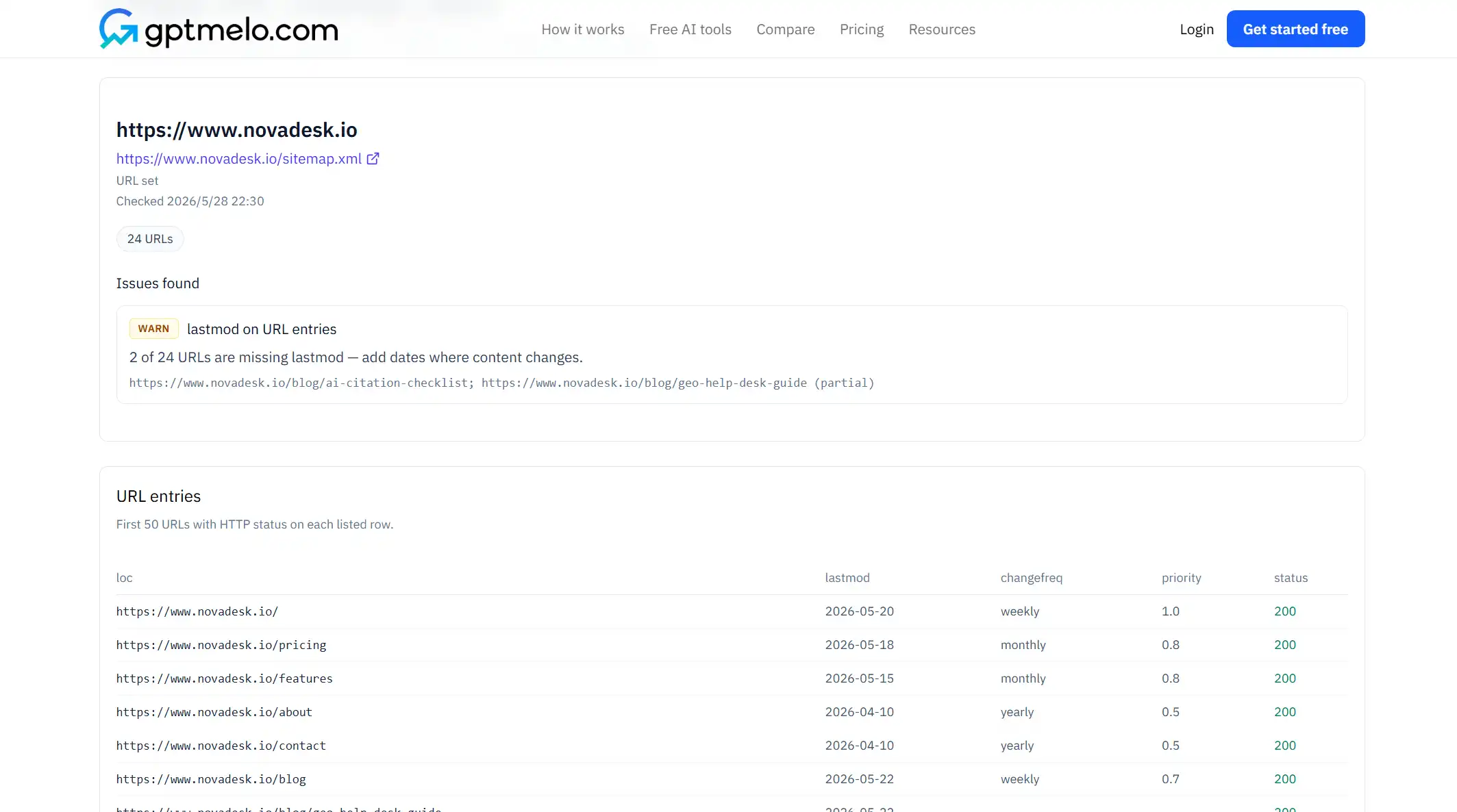
- Entries that fail fetch (404, timeout, SSL errors)
- Redirect loops or http→https chains you did not expect
- URLs that disagree with your canonical tags
- lastmod dates that look frozen while pages changed
Export or screenshot the failure list for engineering—fix patterns in the generator, not one URL at a time forever.
Step 3: Fix the generator, not only the XML file
Most sitemaps come from CMS plugins, static build steps, or a nightly job. Recurring bugs:
- Trashed posts still emitted until cache clears
- Staging hostnames leaked into production sitemap
- Pagination or search URLs included by default
- lastmod set to “now” on every build (noise for crawlers)
After you fix the template, regenerate and re-run the checker. One clean pass beats hand-editing XML weekly.
Step 4: Align robots.txt and internal links
A URL in sitemap.xml but Disallowed for GPTBot sends mixed signals—same as listing Disallowed paths in llms.txt. Align robots.txt with the sitemap before you publish the next round of pages.
Internal links still matter: sitemap discovery plus crawlable HTML paths beat sitemap-only orphans. When you pick which free check to run next, skim AI search optimization tools for structure vs crawl vs citation.
Step 5: Re-check on a schedule
Re-run the checker after:
- Major docs or product URL migrations
- CMS plugin updates that touch sitemap generation
- robots.txt edits that touch Allow/Disallow paths
- Quarterly content pruning
Pair with schema and crawl checks when leadership asks for a site-wide review—the GEO site audit workflow covers that pass.
Minimal sitemap index example
<?xml version="1.0" encoding="UTF-8"?>
<sitemapindex xmlns="http://www.sitemaps.org/schemas/sitemap/0.9">
  <sitemap>
    <loc>https://www.example.com/sitemap-pages.xml</loc>
    <lastmod>2026-09-01</lastmod>
  </sitemap>
  <sitemap>
    <loc>https://www.example.com/sitemap-docs.xml</loc>
    <lastmod>2026-09-10</lastmod>
  </sitemap>
</sitemapindex>
Replace example.com with your canonical host. Keep lastmod honest per child file.
Sitemap vs llms.txt vs robots.txt
| File | Primary job |
|---|---|
| sitemap.xml | Broad URL inventory for discovery |
| robots.txt | Allow or block crawler paths |
| llms.txt | Curated, described URLs for LLM-oriented discovery |
Use all three deliberately—they solve different layers. None replaces good page structure.
From audit to publish
- List priority URLs you want cited in AI answers.
- Confirm each appears in sitemap or is linked from a crawled parent.
- Run the XML Sitemap Checker from Step 2 on the live file.
- Fix generator rules; prune 404s and blocked paths.
- Align robots.txt and canonicals.
- Re-check after the next deploy.
Skipping step 3 is how teams ship new docs that search consoles never see.
Common mistakes
- Hand-editing sitemap.xml while the CMS regenerates stale URLs nightly.
- Including every tag and filter URL “for completeness.”
- lastmod set to build time on unchanged pages.
- Forgetting to update sitemap index after splitting files.
- Assuming sitemap inclusion guarantees AI citations.
- Leaving http:// URLs after an https migration.
Free check: fetch errors on the live sitemap
Open the XML Sitemap Checker. Check the live sitemap—not a laptop copy. No account required.
1. Fill the form. Keep Check domain selected and enter the production domain, or switch to Sitemap URL and paste the live sitemap.
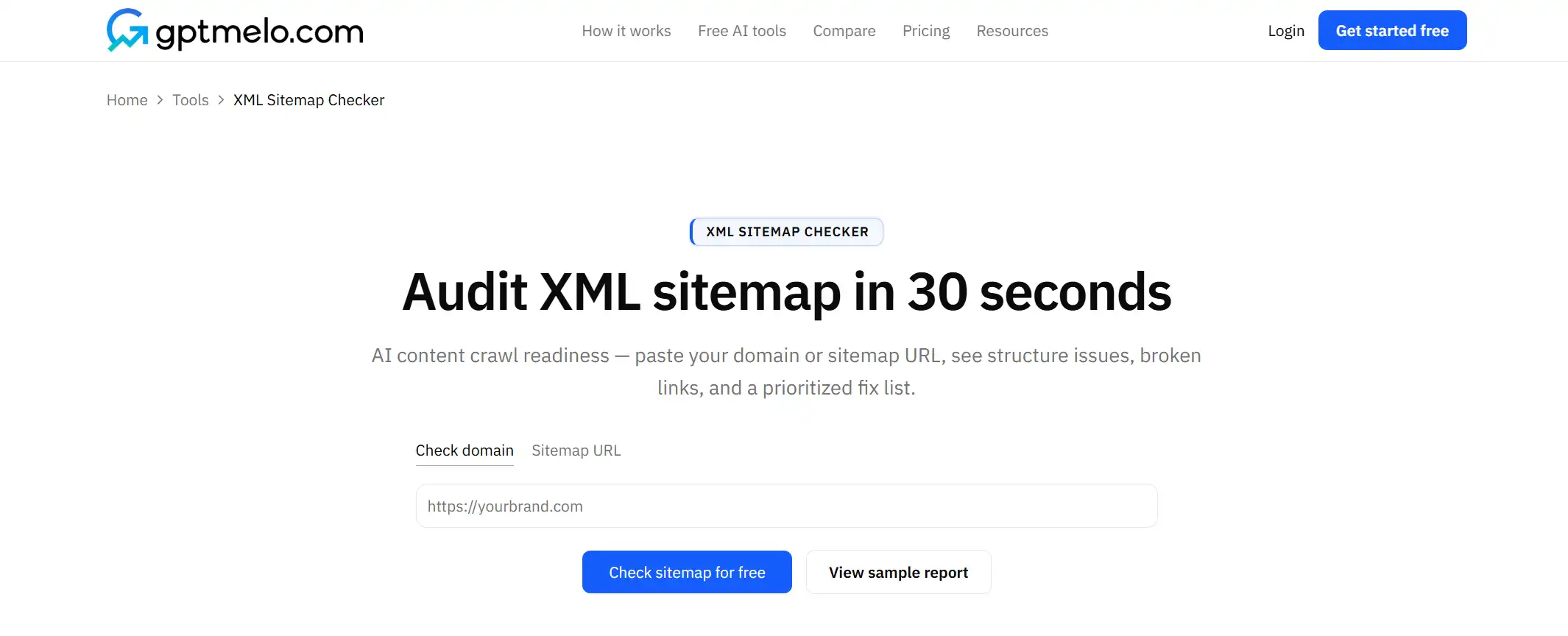
2. Check. Click Check sitemap for free.
3. Read the result. You get fetch and discovery rows. The screenshot is a sample — yours follows the domain or sitemap URL you entered. Glance at unreachable or invalid rows.
4. Fix the live sitemap. Repair the generator or robots conflict, deploy, then check again. Do not treat this window as the sitemap file.
FAQ
Do AI crawlers use sitemaps?
Many discovery paths still start with crawl links and sitemap signals—do not skip sitemap checks because a bot might also follow HTML.
How often should I refresh sitemaps?
After meaningful publishes, slug changes, or template deploys that add or remove URL patterns.
What breaks sitemap health most?
Stale URLs that 404, redirect chains, and pages listed in the sitemap but blocked in robots.txt.