
llms.txt 2026: Example File and Syntax Checker

Key takeaways
- llms.txt points crawlers to what matters—it does not replace good HTML.
- Validate syntax before you publish the file.
- Pair with robots rules for GPTBot and ClaudeBot.
What is llms.txt? It is a plain-text file at your site root that lists your most important URLs with short descriptions so AI crawlers can find canonical docs and product pages faster. It complements HTML, sitemap.xml, and robots.txt—it does not replace them. Keep the list curated (dozens of URLs, not every filter page) and re-validate after major publishes.
What llms.txt is
llms.txt lives at https://yoursite.com/llms.txt. The format is human-readable Markdown-style text: an H1 title, optional blockquote summary, section headings, then lines like [Page title](URL) — one-line description.
It is not:
- A replacement for sitemap.xml (still submit sitemaps for discovery)
- A robots.txt substitute (robots rules still control allow/block)
- A place for login-gated or noindex URLs (the file is public)
The llms.txt structured data framework covers field definitions; this guide walks through building and validating the file.
Example llms.txt skeleton
# Acme Docs Index
> Canonical docs and product pages for Acme; curated for AI crawlers.

# Docs
[Getting Started](https://www.acme.com/docs/start) — Install and first-run setup
[API Reference](https://www.acme.com/docs/api) — REST endpoints with examples

# Products
[Pricing](https://www.acme.com/pricing) — Plans, limits, and billing FAQ
Keep descriptions factual. Skip deprecated paths, campaign landing pages, and internal wikis.
Google’s Lighthouse agentic-browsing docs describe llms.txt as an optional hint for models that browse the open web—it does not override robots rules or replace on-page HTML.
Who should publish llms.txt first
Teams with public documentation, API references, or comparison pages see the fastest win. Marketing sites with one landing page and a blog rarely need a long index—start with five URLs you want quoted in ChatGPT or Perplexity answers.
If you already run the GEO Content Checker on priority URLs, add llms.txt after those pages pass structure checks. A broken help article linked from llms.txt still will not cite well.
llms.txt vs robots.txt vs sitemap.xml
| File | Primary job |
|---|---|
| robots.txt | Allow or block crawler paths |
| sitemap.xml | Machine-readable URL inventory for search crawlers |
| llms.txt | Curated, described URLs for LLM-oriented discovery |
Blocking GPTBot in robots.txt while listing the same URLs in llms.txt sends mixed signals. Align both files before you publish. When you tune AI crawler access, run the same checks you would for AI search optimization tools—structure plus crawl rules.
Step 1: Pick URLs worth citing
Audit docs, pricing, integration guides, and policy pages. Aim for quality over count—most sites need dozens of entries, not thousands.
- One canonical URL per topic (no duplicate intro + PDF-only versions unless both must cite)
- Stable slugs you expect to keep for 12+ months
- Descriptions a model could quote without editing (“SSO available on Business tier”, not “best-in-class platform”)
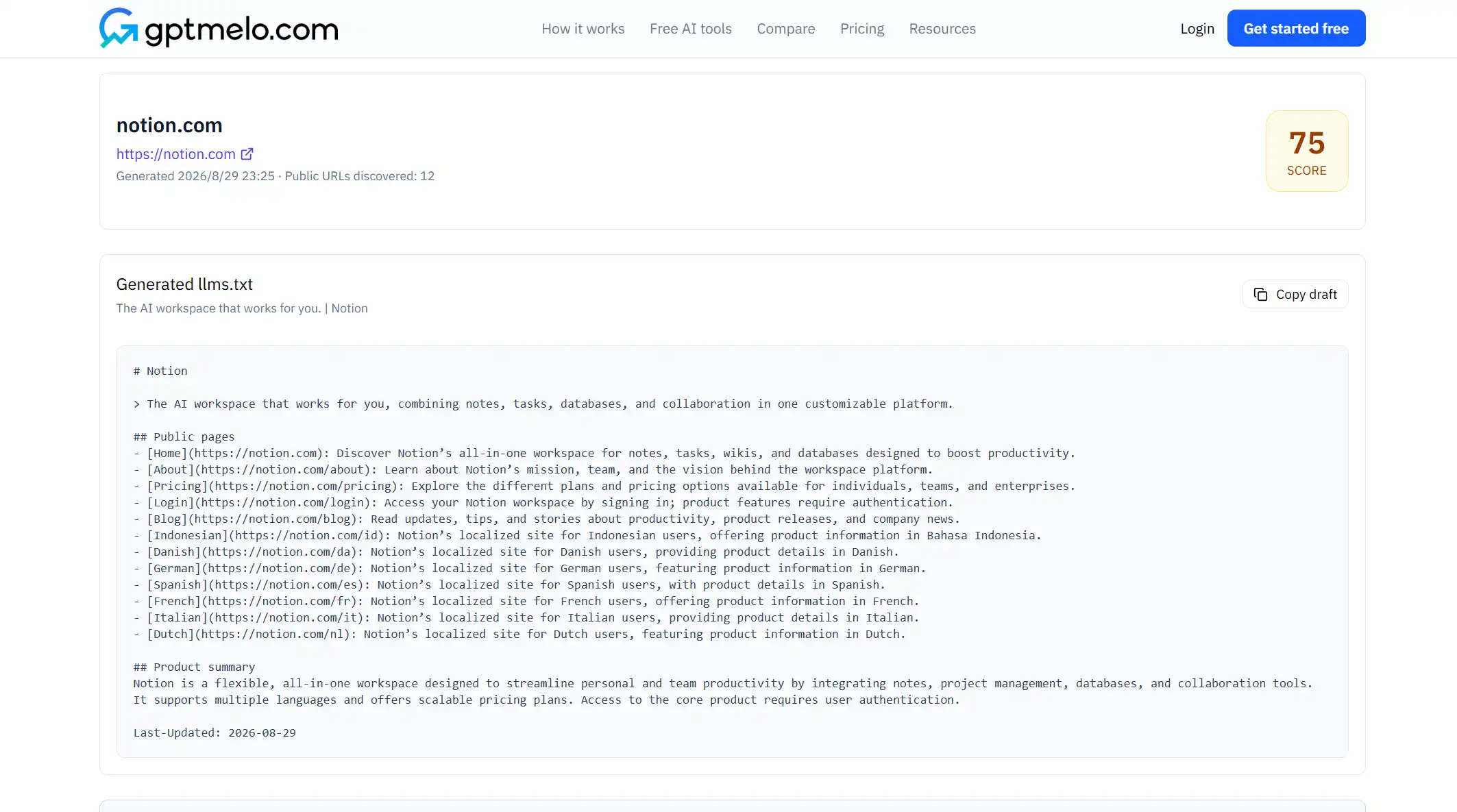
Step 2: Draft the file
Use a plain-text editor or the llms.txt Generator to scaffold sections. Required habits:
- H1 with your site or doc-set name
- Optional
>summary line - Section headings (
# Docs,# Products, …) - Markdown links plus em-dash descriptions on each line
Step 3: Validate before publish
Paste the draft into gptmelo’s llms.txt Checker. Fix broken Markdown, missing descriptions, and dead URLs before you upload to the root.
Checklist on every release:
- File returns
200at/llms.txt(not/blog/llms.txtunless that is truly your root) - Every listed URL returns
200or a stable redirect - robots.txt allows the AI user agents you care about (OpenAI GPTBot documentation)
Checker vs generator workflow
| Tool | Use when |
|---|---|
| Generator | First file, new site section, or onboarding a contributor |
| Checker | After manual edits, CMS exports, or quarterly reviews |
Run the checker even when you used the generator—one bad bracket can make the whole file easy to ignore.
Step 4: Publish at the domain root
Upload the validated file so it resolves at https://yoursite.com/llms.txt. CMS platforms differ:
- Static hosts (Cloudflare Pages, Netlify): add
public/llms.txtor a route handler that returns plain text - WordPress / headless CMS: use a root rewrite or CDN rule—do not bury the file under
/blog/unless that is your canonical root - Subpath installs: if the marketing site lives at
example.combut docs live ondocs.example.com, pick one root for the index and link out explicitly
After deploy, open the URL in a private window. You should see raw text, not an HTML wrapper.
Step 5: Re-validate on a schedule
Re-run the checker after:
- Major documentation restructures or URL slug changes
- Pricing tier renames or plan deprecations
- robots.txt edits that touch AI user agents
Quarterly is enough for stable sites; weekly during a launch month is not excessive.
Maintenance checklist for content ops
Assign one owner (docs lead or SEO) to:
- Compare llms.txt against your sitemap when either file changes
- Remove sunset product lines soon after you deprecate a product
- Log validation output from the checker in your release notes
Pair this file with your GEO site audit workflow when leadership wants a full crawl-and-structure review—not as a substitute for fixing page structure.
Common mistakes
- Listing URLs you block in robots.txt
- Marketing adjectives instead of quotable facts in descriptions
- Forgetting updates after a docs migration
- Publishing under a subdirectory when bots expect the domain root
- Treating llms.txt as a full sitemap dump
Free check: the live /llms.txt file
Open the llms.txt Checker. Check the file at the domain root—not a subdirectory. No account required.
1. Fill the form. Keep Check domain selected and enter the production domain, or switch to Validate content if you are pasting a draft.
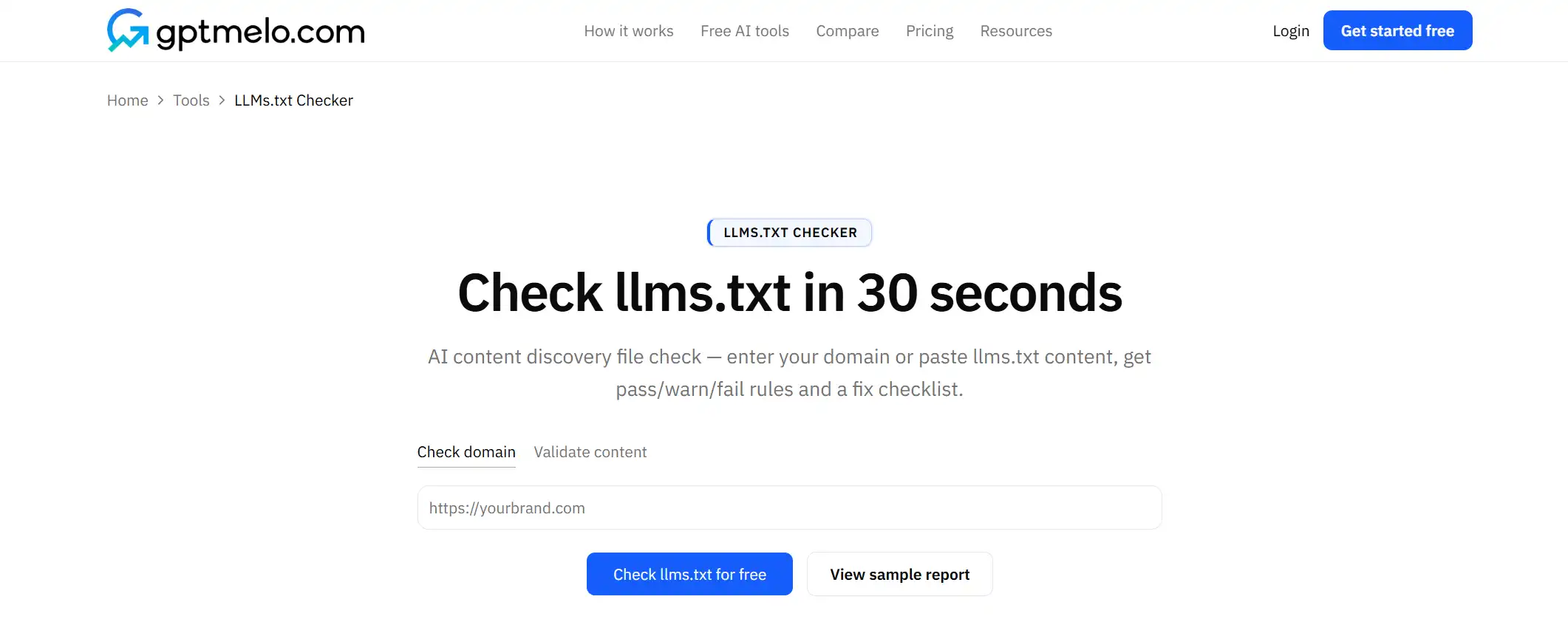
2. Check. Click Check llms.txt for free.
3. Read the result. You get pass/warn rows. The screenshot is a sample — yours follows the domain or draft you entered. Glance at H1 and public links.
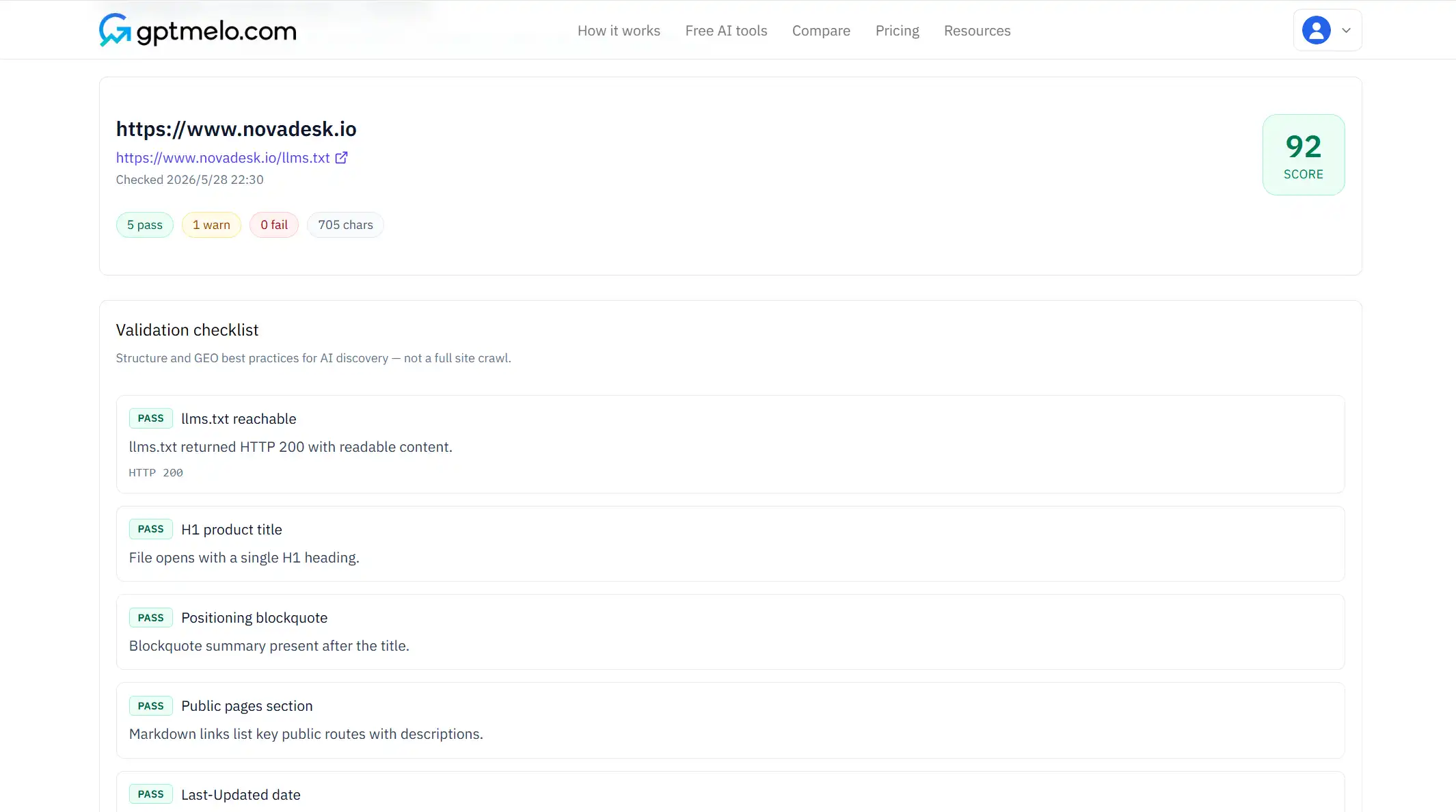
4. Fix the live file. Edit /llms.txt at the domain root, deploy, then check again. Do not treat this window as the file.
FAQ
What is llms.txt?
A plain-text index at your site root that tells AI crawlers which pages represent your site for training and retrieval.
Is llms.txt required for GEO?
Helpful signal, not a ranking guarantee. Fix page structure and crawl access first.
Where does the file live?
At the site root: https://yoursite.com/llms.txt — not in a subdirectory.
Related reading


Last updated