AI Humanizer 2026: Readability Fixes Without Detector Games

Key takeaways
- Humanize for clarity and rhythm—not to trick detectors.
- Keep facts, lists, and citations intact after edits.
- Re-run a structure check after major rewrites.
What is an AI humanizer? It is a rewrite pass that smooths robotic LLM phrasing into sentences a human editor would actually ship—without swapping your facts for fluff. The job is readability and trust, not beating a third-party detector score.
Why humanize for readers, not detectors
Detector tools flag patterns—they do not grade whether a paragraph answers the search query or cites a primary source. Chasing a green score often pushes writers toward synonym swaps and filler that hurts extraction: shorter lists, vaguer claims, and intros that dodge the question.
Humanizing for publication means:
- Varied sentence length without losing the claim in sentence one
- Active verbs where the draft hid behind passive voice
- Concrete nouns instead of “robust platform” or “seamless experience”
- Facts, links, and bullet lists left intact
Google’s spam policies treat scaled low-value AI content as a quality issue—not “AI detected” as a magic flag. Your bar is useful, attributable, and structured, whether or not a detector likes the rhythm.
When an AI humanizer helps
Good fits
- Blog guides and comparison pages after you verify facts
- Product marketing where tone is off but the outline is right
- Support macros that sound like a chatbot wrote them
Poor fits
- Pages where every sentence must match legal-approved wording
- Pure data tables generated from your product database (fix the template, not the prose)
- Drafts that still contain invented pricing or unsourced stats—humanizing locks in errors faster
If you have not run the editorial pass in the edit AI content resource, do that before you humanize. Structure and truth come before voice.
Step 1: Lock facts before you touch tone
Copy the draft into your CMS or doc. Highlight every number, product name, date, and URL. Verify each against a fact sheet or live page as of [[MONTH_YEAR]].
Tell yourself (or your tool): do not change verified bullets, table cells, or attributed stats during humanize. If a sentence needs a number, it must still point to the same source after the rewrite.
This mirrors the outline-first workflow in the ChatGPT content generation guide—facts first, fluency second.
Step 2: Score structure before voice edits
Paste the draft into gptmelo’s GEO Content Checker. Fix checker warnings on:
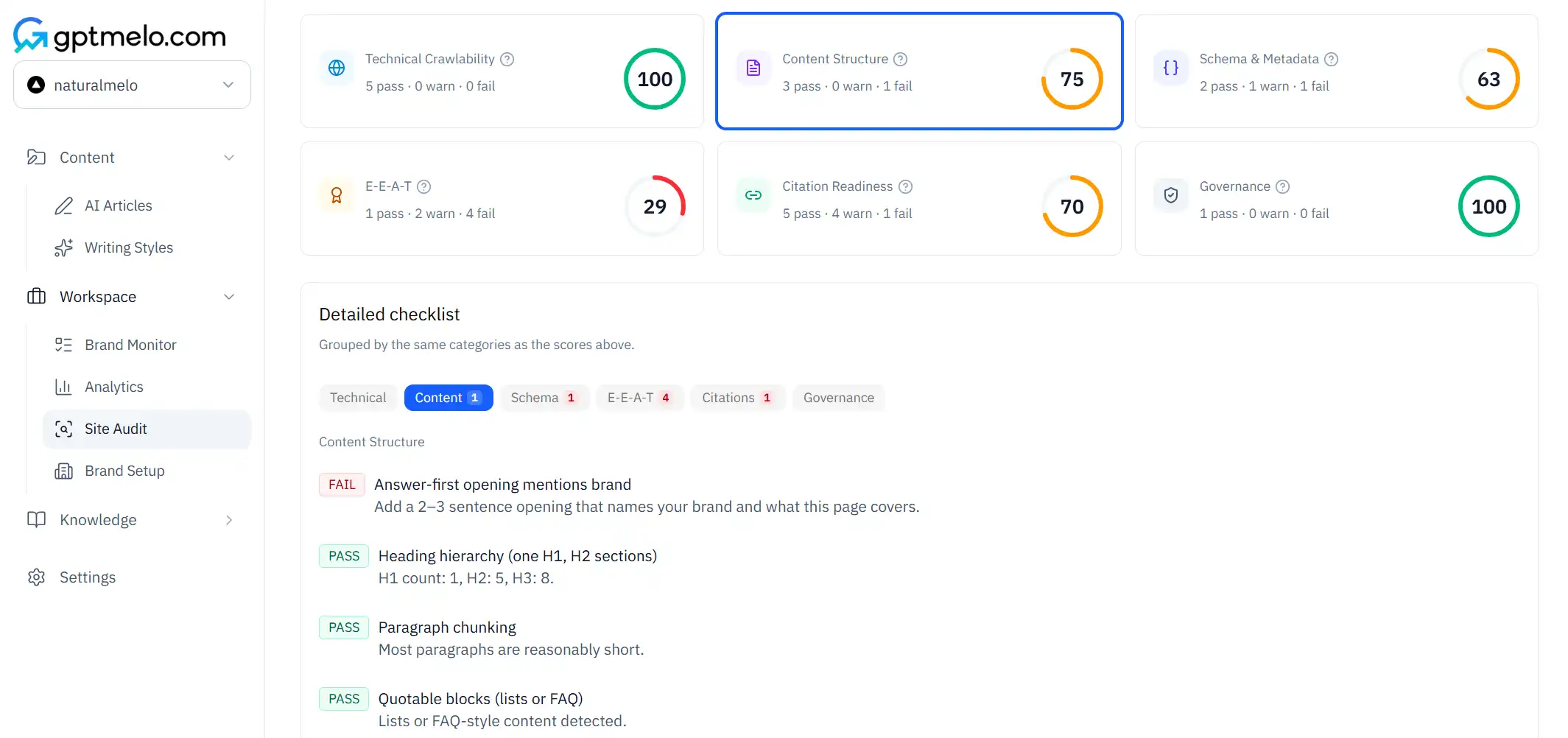
- Intro without a direct answer
- Long paragraphs where a list or table would extract better
- Missing attribution on stats
Humanizing a wall of prose that fails structure checks wastes time—you will rewrite twice. The AI content optimization guide lists the structure patterns worth keeping while you humanize.
Step 3: Humanize section by section
Work one H2 at a time instead of sending 2,000 words into a humanizer in one shot. Per section:
- Read the opening sentence aloud. If it does not answer the heading, fix that before humanize.
- Run humanize on the paragraph blocks—not the table or bullet list underneath.
- Compare line by line: did any number, brand name, or “must include” phrase disappear? Restore it.
- Cut hype adjectives the humanizer added to sound “natural.”
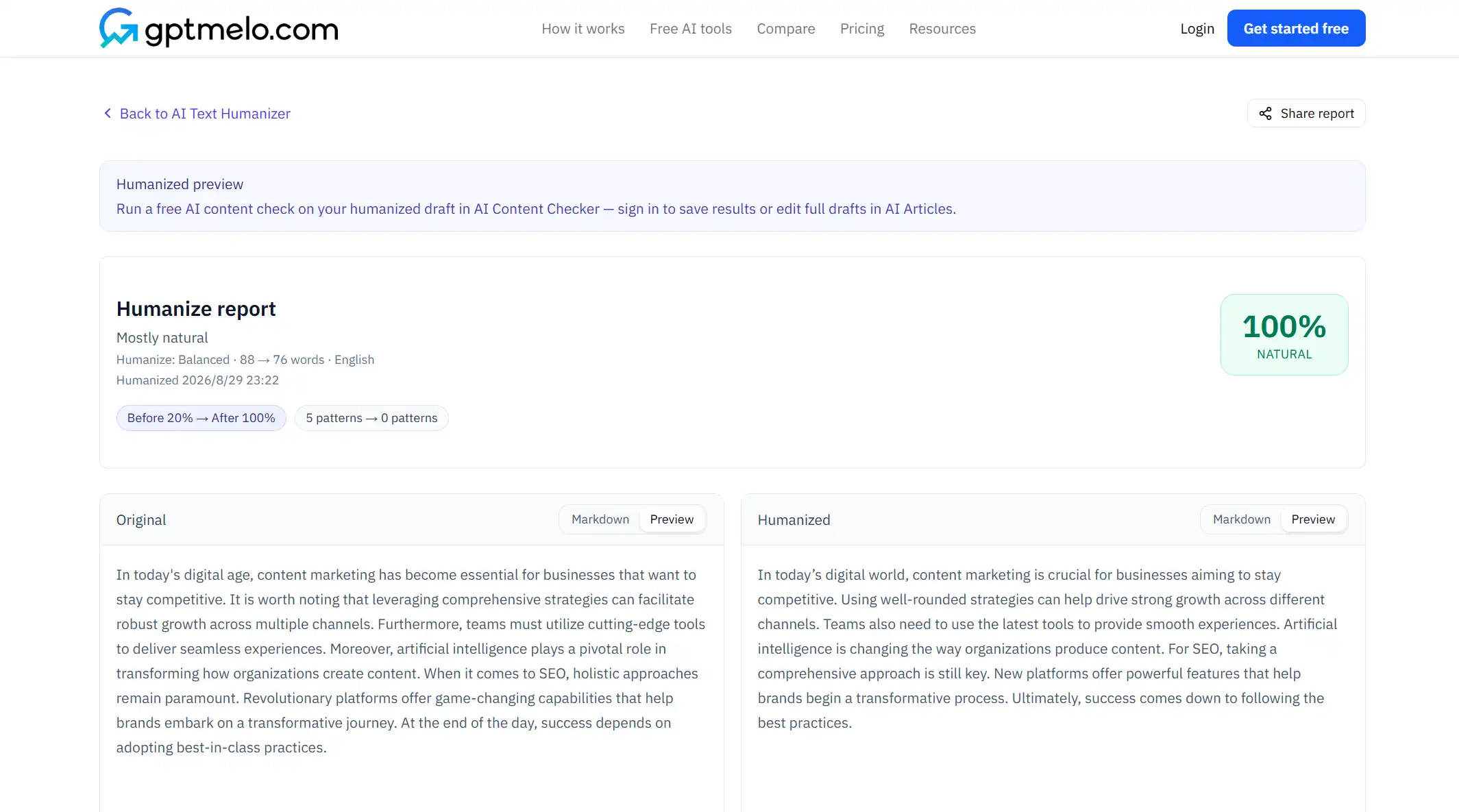
Sample instruction you can paste into any rewriter (including the free humanizer):
Rewrite for clarity and spoken rhythm. Keep all numbers, product names, URLs, and bullet lists unchanged. Do not add new facts. Sentence one must answer the section heading directly.
Step 4: Edit for rhythm, not camouflage
Signs you are humanizing well:
- Shorter sentences after a dense claim
- One concrete example where the draft had three abstract adjectives
- Transitions that name the reader’s job (“If you block GPTBot—) instead of “Furthermore,”
Signs you are gaming detectors instead of editing:
- Random idioms inserted mid-technical paragraph
- Lists collapsed into prose because “it sounds more human”
- Stats removed because they “feel robotic”
Read aloud. If you would not say it on a customer call, rewrite again.
Step 5: Final structure check
After humanize, re-run the same structure checker from Step 2 on the full page URL or pasted HTML. Humanizers sometimes:
- Merge list items into one sentence
- Move the direct answer below a new anecdote
- Drop link anchors on attributed stats
Fix those in the CMS, not in another humanize round—stacking rewriter passes blurs facts.
Optional: paste a suspicious paragraph into the AI Text Checker to spot repetitive patterns you still want to edit. Treat the score as an editing hint, not a reason to block publish.
Humanizer vs manual edit: quick comparison
| Approach | Best for | Risk |
|---|---|---|
| AI Text Humanizer | Stiff transitions, uniform sentence length | Over-edits tables or stats if you paste the whole page |
| Manual read-aloud pass | Intro and conclusion where voice matters most | Slower on long guides |
| Hybrid | Score structure →humanize body paragraphs →hand-edit intro | Lowest fact drift when you run the tool one section at a time |
Teams publishing weekly usually hybrid: human intro and outro, humanizer on middle sections that repeat the same ChatGPT cadence.
What to keep through every humanize pass
Do not let readability tools strip quotable sections:
- Intro that answers in sentence one, under the page title
- Bullets and tables with complete cells
- FAQ entries that match visible on-page answers
as ofdates on pricing or feature claims- Internal links to frameworks and tools where the reader needs them in that section
If humanize flattens a comparison table into prose, restore the table. Models cite tables more reliably than three sentences of “on the other hand.”
From draft to publish
- Draft —outline-first generation or section prompts (see ChatGPT workflow above).
- Fact-check —verify numbers, names, URLs.
- Structure check —GEO Content Checker on draft or staging URL.
- Humanize —one section at a time; protect lists and tables.
- Voice edit —read aloud; fix intro and mistakes list.
- Final check —structure checker again; publish.
Skipping step 3 or 6 is how polished-sounding pages still fail citation extraction.
Common mistakes
- Humanizing before fact-checking—rewrites make false stats sound authoritative.
- One-shot humanizing the entire article including pricing tables.
- Removing lists because detectors flag “template” rhythm.
- Publishing to beat a detector score while the intro still does not answer the query.
- Running five humanize rounds until meaning drifts from the brief.
- Using humanizer output on compliance or medical copy without counsel review.
Free check: a stiff section, then you still edit
Open the AI Text Humanizer. Paste a stiff section, then compare every number against your fact sheet. No account required. This will not hide AI-sounding patterns from a checker.
1. Fill the form. Paste the section. Leave Balanced selected unless you have a reason for Light or Thorough.
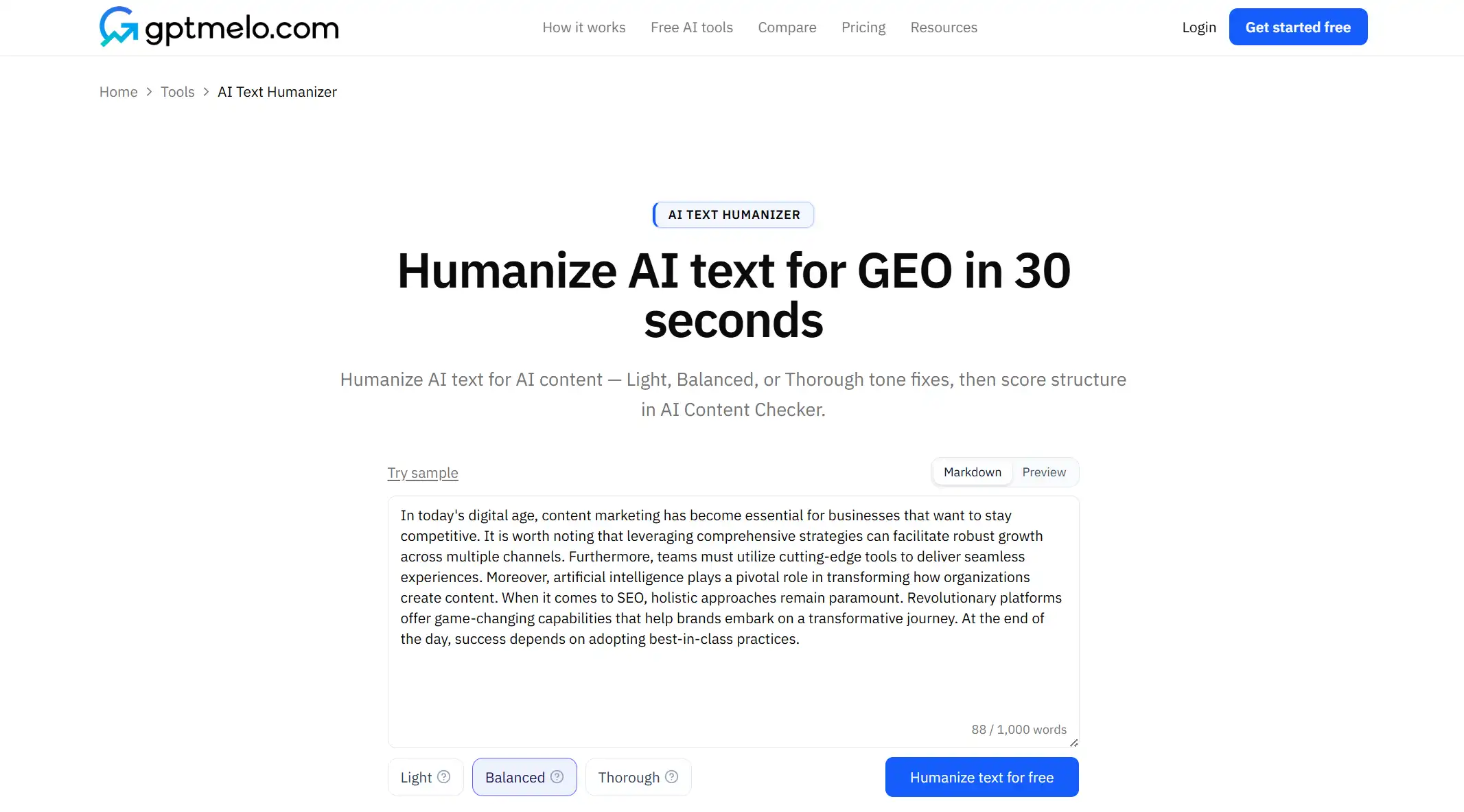
2. Humanize. Click Humanize text for free.
3. Read the result. You get before and after. The screenshot is a sample — yours follows the text you pasted. Glance whether facts still true—numbers, names, and lists. Copy the result.
4. Edit, then put it on a URL. Read the rewrite before anyone else sees it. Do not treat this window as the live page.
FAQ
What does an AI humanizer do?
It rewrites stiff AI phrasing into more natural sentences while preserving meaning, facts, and sourcing.
Will humanizing hurt GEO?
Only if you remove intros that answer in sentence one, stats, lists, or tables that models need to cite.
Should I humanize before or after GEO checks?
Draft, score structure, humanize for voice, then run a final structure check before publish.