ChatGPT for Content Generation: Outline-First Workflow

Key takeaways
- Outline first, then section prompts—blank-page ChatGPT drafts wander.
- Paste verified facts; do not let the model invent pricing or policy.
- Run a structure check after human edit.
A one-line ChatGPT prompt gives you a generic essay. An outline with verified facts gives you sections you can fact-check and structure-check before publish. The second path is slower for ten minutes and faster for ten pages.
| Approach | Works when | Falls apart when |
|---|---|---|
| Blank prompt (“write a blog post about X”) | You need brainstorming only | You need product names, pricing, or compliance language |
| Outline + section prompts | Guides, comparisons, how-tos | You skip the fact sheet and the model fills gaps |
| GEO writer with structure rules | You want answer-first sections and list blocks | Legal or medical copy that cannot touch an LLM draft |
Why outline-first beats one-shot prompts
ChatGPT optimizes for fluent completion, not your CMS fields or citation slots. Without guardrails it will invent pricing tiers, customer logos, and statistics that sound plausible.
An outline converts the task from “write something about GEO” to “write this section with these facts.” That is the difference between editing for truth and editing for tone alone.
OpenAI’s own guidance treats model output as draft content requiring human review on high-stakes pages. Treat product and pricing pages the same way—especially comparisons, pricing tables, and regulated claims.
Step 1: Build a one-page brief
Before the first ChatGPT message, write a brief you can paste:
- Target query in the reader’s words (match the H1 intent, not internal jargon)
- Three to five H2s — each names a job (“Compare plans”, not “Overview”)
- Verified facts — pricing, features, dates, official URLs (bullet list)
- Banned claims — anything you cannot source (competitor market share, customer names)
- Required blocks — intro answer, one table or list per H2, FAQ if the template uses it
Tell the model explicitly: use only the fact sheet for numbers and product names; leave [NEED SOURCE] if a fact is missing.
Step 2: Generate section by section
Ask for one H2 at a time instead of a 2,000-word dump. Sample prompt shape:
Write ## Compare plans for [query]. Use only these facts: [paste bullets]. Open with a direct answer in sentence one. Add a comparison table with the same columns for each plan. Do not invent prices.
After each block:
- Delete adjectives that do not change the decision (“robust”, “seamless”, “cutting-edge”).
- Replace passive voice with the verb you mean (“supports SSO” not “SSO is supported by the platform”).
- Mark any unsourced number for human verification.
If a section reads like marketing fluff, it probably lacks a concrete fact—go back to the brief, not the thesaurus.
Step 3: Human pass for voice and accuracy
Read aloud. Cut sentences you would not say to a colleague on Slack.
Accuracy checklist:
- Every link resolves to the intended page (models hallucinate URLs).
- Product names match official spelling and capitalization.
- Pricing matches the vendor page you checked
as of [[MONTH_YEAR]]. - Competitor claims are fair and sourced—avoid unsourced “better/worse.”
For YMYL topics (health, finance, legal), keep human review strict; do not rely on the model for compliance language.
The edit AI content resource covers the editorial pass after any LLM draft—use it when you hand drafts to a second reviewer.
Step 4: Apply GEO structure after the draft
Even a factually correct draft can fail extraction if the intro buries the answer.
Run this pass before publish:
- Intro = direct answer + one scannable block underneath.
- Each H2 opens with the claim, not background history.
- Add bullets or tables where the draft used long paragraphs.
- Attribute stats or remove them.
The AI content optimization guide covers these patterns in depth. This page stays on ChatGPT workflow; that page stays on page shape.
Step 5: Score structure before publish
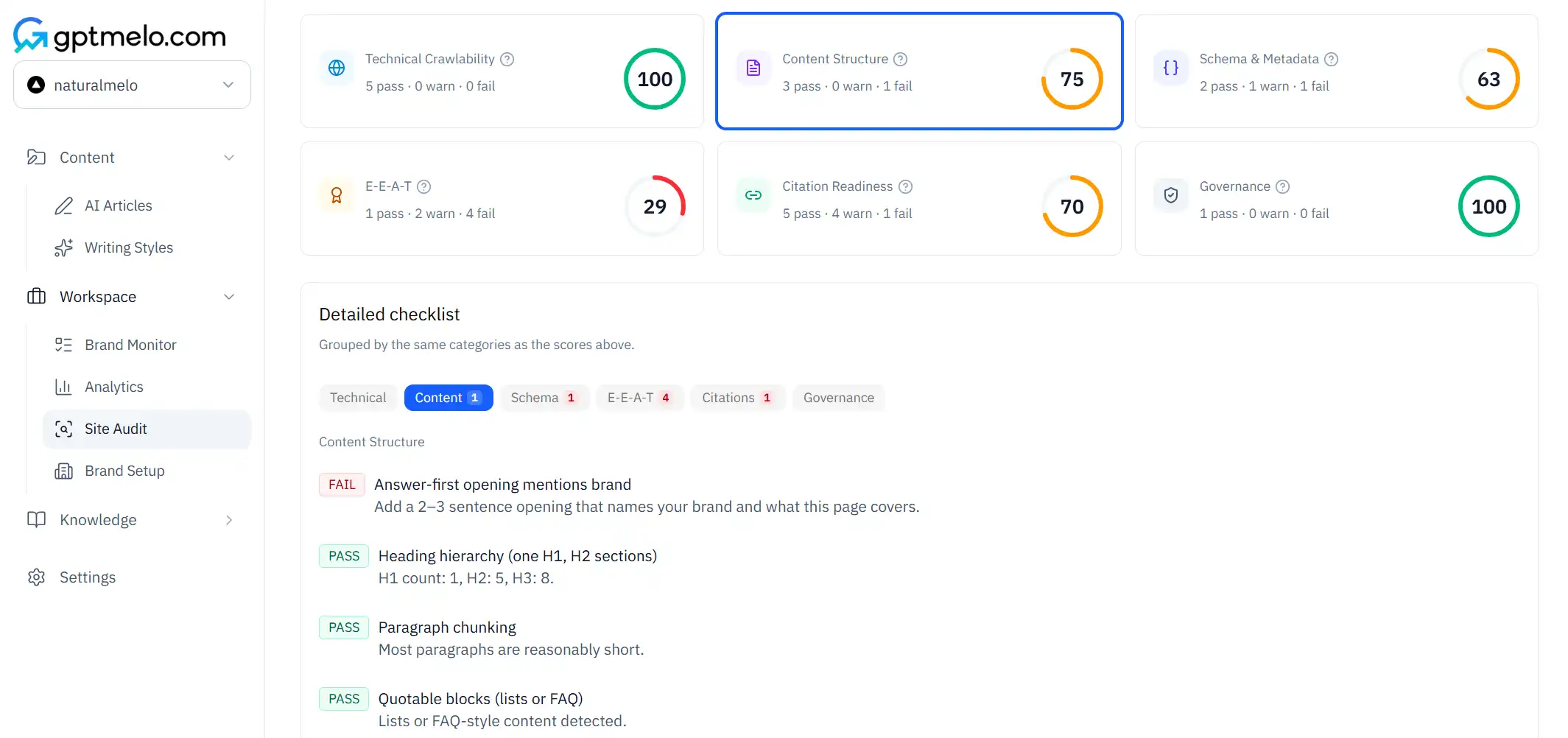
Paste the edited draft into the GEO Content Checker, or start from the GEO Content Writer if you want outline-first sections with GEO rules applied up front.
When to use which:
- ChatGPT — custom tone experiments, messy research notes, non-GEO internal docs.
- GEO Content Writer — product and pricing pages where you already know the outline and want fewer structural rewrites. If you are comparing against Jasper-style team writers, read gptmelo vs Jasper for structure built for citations—not generic word counts.
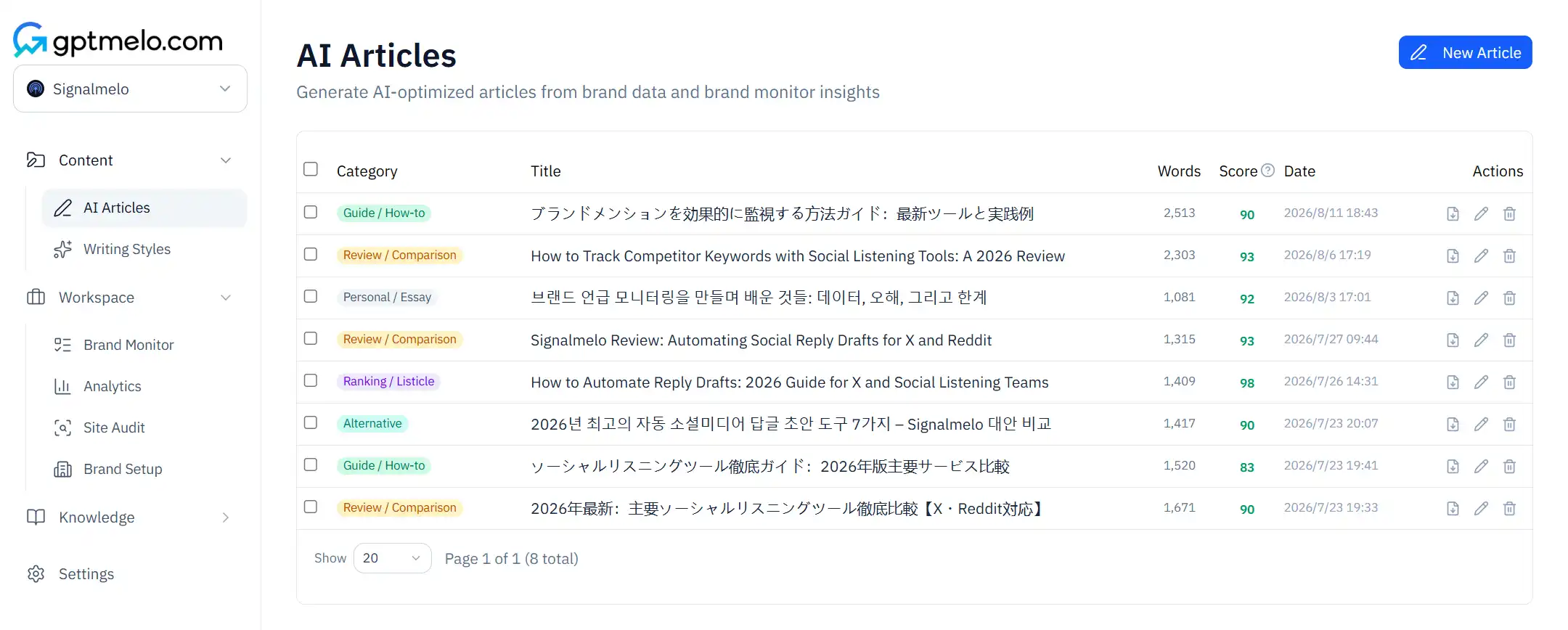
For the write→score→publish path in one workspace, see how GEO article writing works.
Fix checker failures in the template, not only on the one URL you tested—otherwise the next ChatGPT draft repeats the same shape problems.
Step 6: Version control for prompts and facts
Teams that publish weekly benefit from a shared fact sheet per product line (Google Doc or Notion table) and a prompt library per content type.
Store:
- The outline template
- The section prompt that produced acceptable output
- The checker score or screenshot after human edit
- The date facts were verified
When pricing changes, update the fact sheet first—then regenerate sections that touch numbers. Do not re-run old prompts against stale bullets.
Sample section prompt
Replace bracketed fields with your brief facts:
You are drafting one section for a GEO guide.
H2: ## [Section title matching reader query]
Facts you may use (only these for numbers and names): [paste bullets]
Rules: Sentence 1 answers the heading directly. Include a 4–6 item bullet list OR a 3-column table with complete cells. No invented stats, logos, or URLs. Mark [NEED SOURCE] if a fact is missing.
Tone: plain, direct, no hype adjectives.
Run that once per H2. Concatenate in your CMS—not in ChatGPT’s single thread if the thread is already long (context drift causes fact mixing).
Editing pass: from draft to quotable
After ChatGPT output, run this human pass before the structure checker:
| Pass | Look for | Fix |
|---|---|---|
| Facts | Numbers, names, URLs | Verify against fact sheet |
| Fluff | “Robust”, “seamless”, “innovative” | Delete or replace with mechanism |
| Shape | Intro without answer | Rewrite sentence 1 as claim |
| Extraction | Long paragraphs | Split into claim + bullets |
| Policy | Legal/medical claims | Route to counsel or remove |
Reading aloud catches rhythm problems; the checker catches structural gaps—they are complementary, not redundant.
When not to use ChatGPT in the pipeline
Skip or restrict LLM drafts when:
- Regulated claims require approved legal copy
- The page is mostly unique data from your product (use templates + database fields)
- You cannot maintain a fact sheet (the model will invent one for you)
- The output must match a strict design system component-by-component
In those cases, use ChatGPT for outline brainstorming only, then write in your CMS—or use the GEO Content Writer on sections that are prose-heavy and lower risk.
Pair ChatGPT with structure tools in one afternoon
A practical half-day workflow for one guide page:
- Hour 1 — Build the fact sheet and H2 outline in a doc (no LLM yet).
- Hour 2 — Generate two hardest sections in ChatGPT with the section prompt; paste into CMS.
- Hour 3 — Human fact-check + intro rewrite as direct answer.
- Hour 4 — GEO Content Checker on the assembled URL; fix severity flags; publish or schedule.
If the checker fails only on intro shape, fix the intro manually before you regenerate entire sections—LLM regen is expensive in time and often reintroduces invented facts.
Settings that change output quality
ChatGPT settings matter for drafts you will publish:
- Temperature — lower for factual sections (pricing, specs); slightly higher for brainstorming headlines you will discard
- Custom instructions — keep global instructions short; put page-specific rules in the per-section prompt
- Browsing / tools — if enabled, still verify URLs and stats against your fact sheet; browsing reduces but does not eliminate hallucinations
- Thread length — start a fresh thread per article to avoid fact bleed from earlier pages
Document the settings that produced an acceptable section in your prompt library so the next writer does not tune randomly.
Common mistakes
- One long prompt expecting a finished article.
- Letting the model invent customer logos, traffic lifts, or pricing tiers.
- Skipping a structure check because “it reads fine.”
- Publishing ChatGPT’s FAQ without matching visible HTML on the page.
- Pasting competitor copy into the prompt and getting a plagiarism risk.
- Using ChatGPT for the final legal disclaimer without counsel review.
Free check: the outline you wrote first
Open the GEO Content Writer. Draft the outline-first outline — not a blank “write a post about X.” No account required.
1. Fill the form. Topic is that outline: the reader query; H2s named as jobs (Compare plans, Who each plan fits, How billing works); facts the draft may use; no invented prices. Brand name and Brand website are the product those plans belong to. Open More options only if you need them.
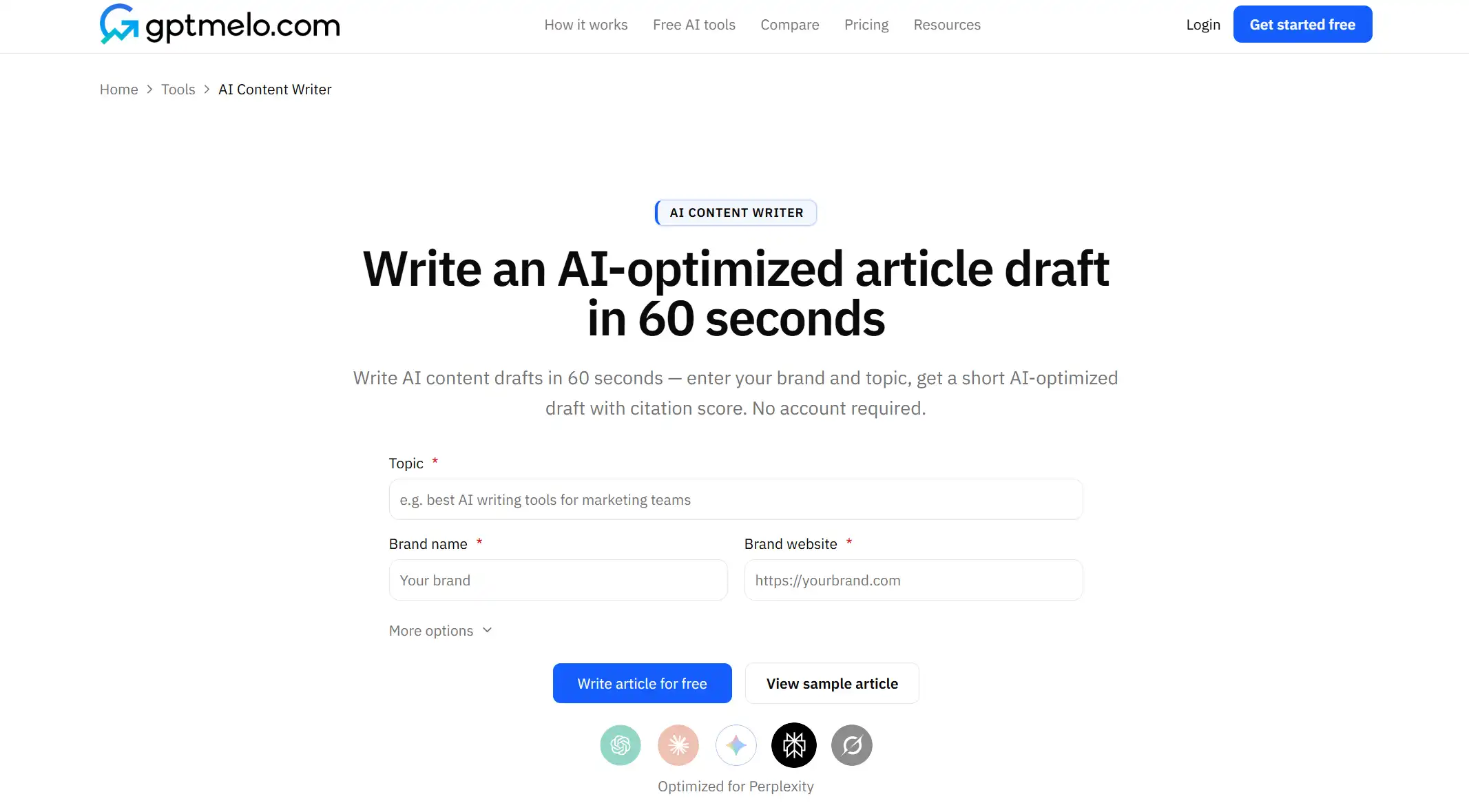
2. Write. Click Write article for free.
3. Read the result. You get a draft next to a GEO content score (Writing, Identity, Cite, Ship). The screenshot is a sample — yours follows Topic. Glance at the headings: do they match the H2s you pasted, or did it invent new ones? Use Copy HTML or Copy Markdown. The score is not a fact check.
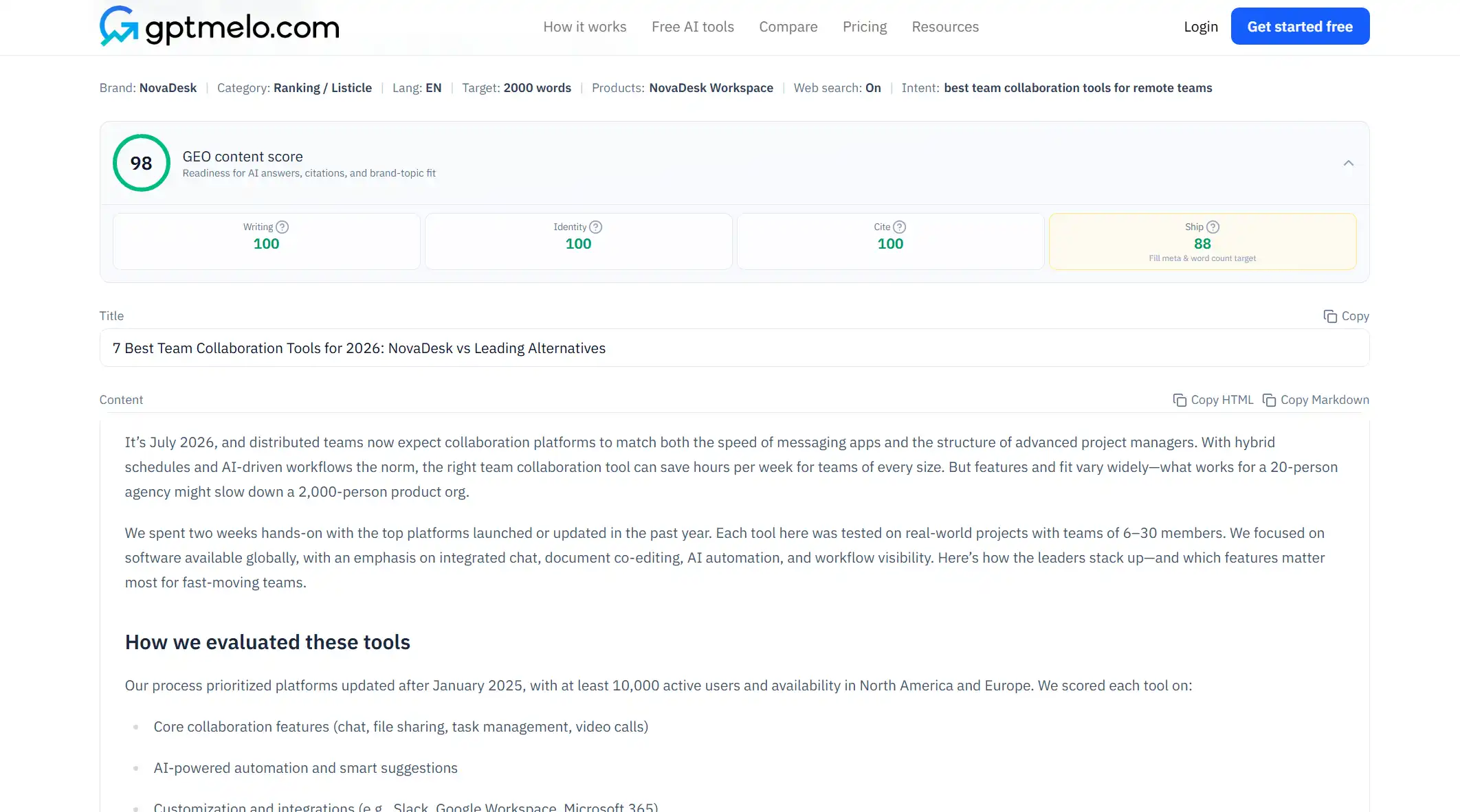
4. Edit, then put it on a URL. Read the draft before anyone else sees it. Do not treat this window as the live page.
The write-check-publish path is in GEO article writing.
FAQ
Can ChatGPT write SEO-friendly content?
Yes, if you supply an outline, brand facts, and edit for accuracy. It will not reliably invent GEO structure without explicit instructions.
Is ChatGPT content safe to publish as-is?
No. Treat output as a draft—verify stats, links, and claims before publish.
Should I use ChatGPT or a GEO writer?
ChatGPT works for brainstorming and sections when you bring the outline. A GEO writer applies answer-first structure up front—useful when you want fewer structural rewrites.