EEAT Checker: Trust Signals for AI Citations
Key takeaways
- Trust signals help both Google and AI answers cite you.
- Author pages need real credentials—not stock bios.
- Attribute stats to primary sources.
What is an EEAT checker? It is a free scan that looks for trust signals on a page—named authors, About links, sourced claims, and review or contact paths—so search engines and AI answers have a reason to treat your content as citable. Structure alone is not enough when the byline is anonymous and every stat floats without a link.
What EEAT means on the page
Google’s quality raters use experience, expertise, authoritativeness, and trust when evaluating pages. For AI search, the same signals show up as extractable facts: who wrote this, when it was updated, and where the numbers come from.
On a live URL that usually means:
- Experience —first-hand detail (“we ran X for six months”) only when true; otherwise leave it out
- Expertise —credentials, role, or demonstrated topic depth on the author page
- Authoritativeness —clear site identity, About, and consistent brand presence
- Trust —accurate claims, primary sources, contact or review paths, honest dates
An EEAT checker does not invent those signals. It flags when they are missing or weak so you can fix the HTML, not the pitch deck. The deeper framework lives on the EEAT AI framework resource; this guide is how to check and fix trust signals.
Why AI citations care about trust signals
Models prefer pages they can attribute. Anonymous “team” bylines, undated pricing claims, and unsourced market stats look like low-confidence text—even when the outline is clean.
Trust and structure work together:
- Structure (intros that answer in sentence one, lists, tables) makes quotes easy to lift—see AI content optimization
- Trust (who / when / source) makes quotes safe to keep
Fixing only structure while leaving stock bios and orphaned percentages is half a job.
Step 1: Run the EEAT checker on priority URLs
Paste a live URL into gptmelo’s EEAT Checker. Start with pages you want cited: pricing, comparisons, flagship guides—not every blog archive post.
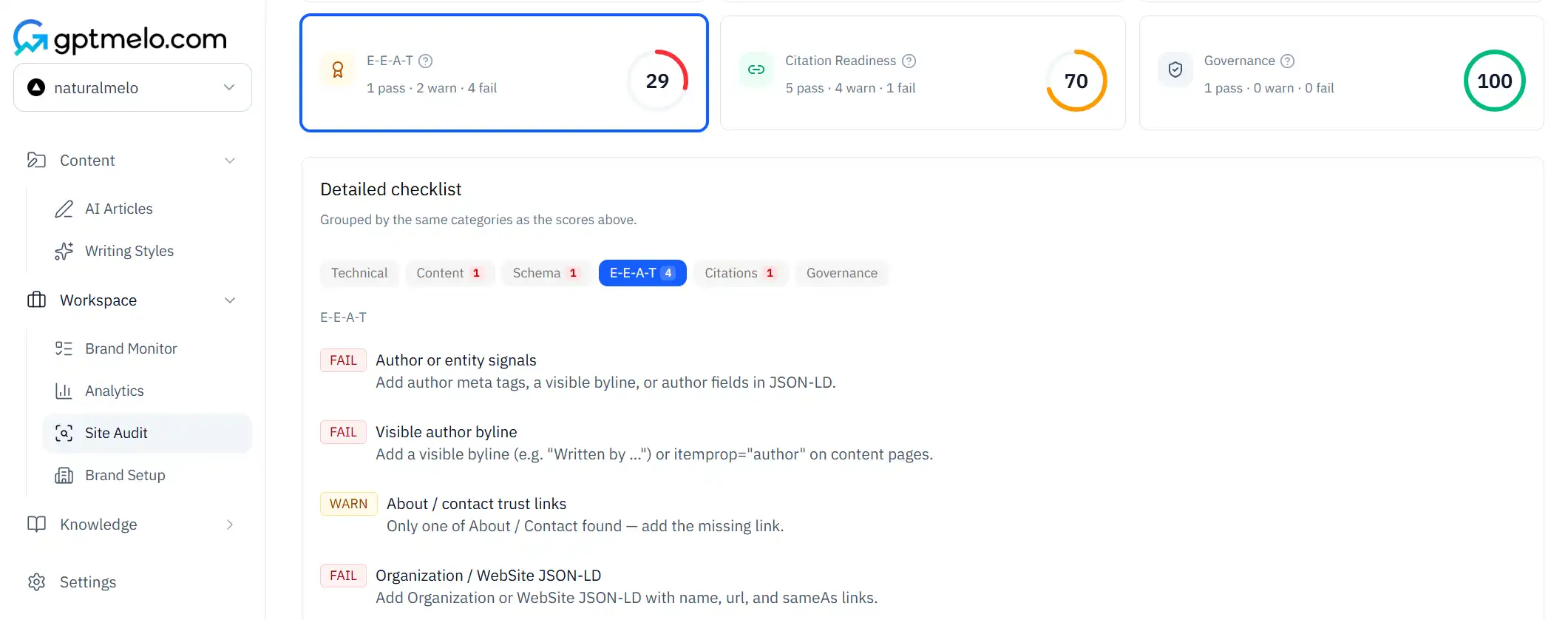
Note what fails first:
- Missing or generic author (“Admin”, “Team”, stock headshot with no bio)
- No path to an About or contact page
- Claims without outbound sources
- No visible update date on pages that change often
Write a short fix list per URL. Do not wait for a perfect score before you edit the worst gaps.
Step 2: Fix the author surface
Replace “Posted by Admin” with a real person (or a named editorial desk your org stands behind). The author page should include:
- Role and what they cover
- Relevant experience or credentials (no fake titles)
- Link back to articles they actually wrote
- Optional: LinkedIn or company profile—only if current
Stock bios (“passionate about innovation”) waste the slot. If you cannot name a person, say so in policy and use a reviewed company byline—do not invent experts.
For regulated topics, keep credentials accurate and route claims through counsel. Detectors and humanizers do not fix EEAT; they only tune phrasing—see AI detector and AI humanizer when the draft sounds stiff, not when the byline is missing.
Step 3: Source every number you keep
Walk the page for percentages, dollar figures, and “studies show” lines. For each:
- Link the primary source (vendor docs, SEC filing, peer-reviewed paper, your own methodology page)
- Or delete the number
- Prefer
as of [[MONTH_YEAR]]on pricing and feature claims
Secondary blog roundups are weak sources. If you only found the stat on another marketing site, dig one level deeper or drop it.
Step 4: Strengthen About, contact, and review paths
AI systems and readers both look for “who is behind this site?”:
- About page with company purpose, location or remote status, and leadership or editorial ownership
- Contact or support path that works
- Editorial or review policy on YMYL pages (what gets reviewed, by whom)
You do not need a media kit on every URL. You need enough identity that a crawler can connect the article to an organization that exists.
Step 5: Re-check after template changes
EEAT issues often live in the CMS template: byline component, footer About link, schema that does not match visible HTML. After you fix one post, re-run the checker on two more URLs from the same template.
Pair trust fixes with structure: if the intro still buries the answer, citations stay weak even with a perfect bio. Run the GEO Content Checker on the same priority URLs when structure is the blocker.
EEAT checklist by page type
| Page type | Trust must-haves | Easy miss |
|---|---|---|
| Guide / blog | Named author + bio; dated update; sourced stats | Guest posts with empty author pages |
| Pricing | Accurate plan names; as of date; link to terms | Marketing adjectives instead of limits |
| Comparison | Fair claims; links to both vendors’ docs | Unsourced “wins on every axis” tables |
| Product | Specs with docs links; support path | Fake customer quotes |
What an EEAT checker cannot do
- Guarantee rankings or ChatGPT citations
- Replace legal review on regulated claims
- Turn a thin page into an authority with meta tags alone
- Score “experience” if you invent first-hand stories
Use the tool to find missing pieces. Close those gaps in content and templates. Re-check after deploy.
Trust signals vs structure tools
| Check | Question | Tool |
|---|---|---|
| EEAT | Can a reader (or model) tell who stands behind this and where facts come from? | EEAT Checker (Step 1) |
| Structure | Can a model lift a clear answer, list, or table? | GEO Content Checker |
| Voice | Does the draft sound like default LLM cadence? | AI Text Checker / Humanizer |
Run EEAT on identity and sourcing; run structure on extractability. Mixing the jobs wastes time.
From draft to publish
- Draft with real facts only—leave
[NEED SOURCE]where numbers are missing. - Author + About wired in the template before volume publishing.
- EEAT check on the staging or live URL.
- Fix sources and bios; delete unsourced claims.
- Structure check if intros or lists still fail.
- Publish with visible update dates on pages that change.
Skipping step 2 is how teams ship twenty posts that all fail the same byline gap.
Common mistakes
- Stock author photos with no bio URL.
- “According to experts” with no named expert or link.
- Hiding the About page three clicks deep—or omitting it.
- Updating pricing in a CMS field but leaving last year’s date in the hero.
- Adding Organization schema that contradicts the visible About page.
- Treating EEAT as a keyword to stuff into the H1 instead of signals on the page.
Free check: trust signals on a live URL
Open the EEAT Checker. Paste a homepage or a content URL you want trusted. No account required.
1. Fill the form. Paste that live URL in the URL field.
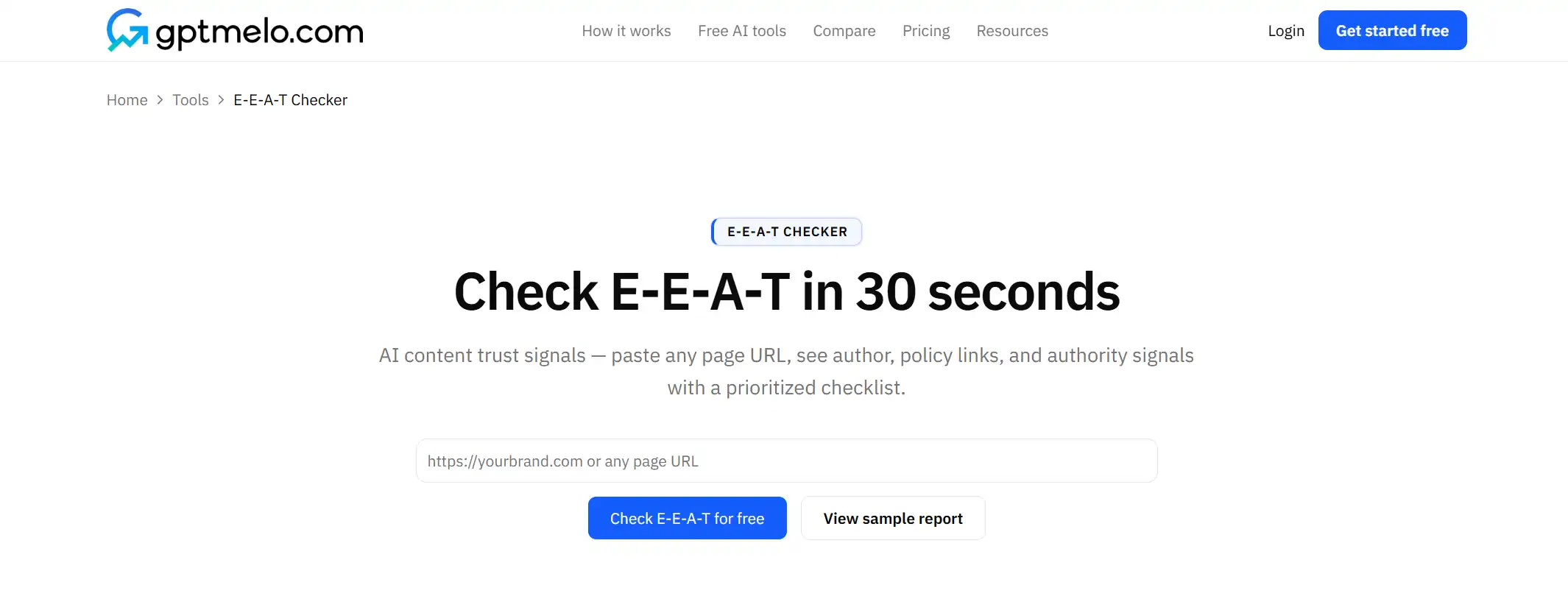
2. Check. Click Check E-E-A-T for free.
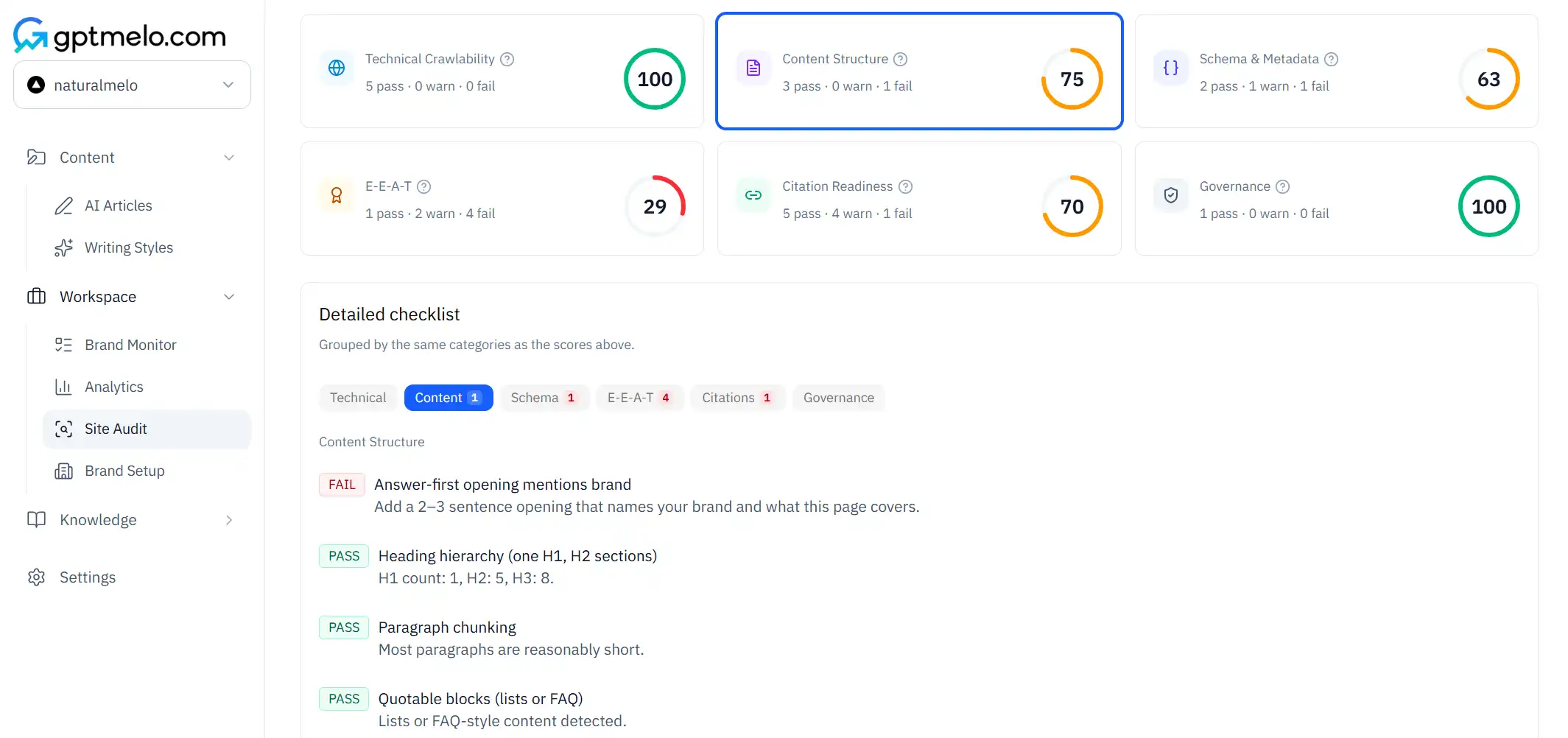
3. Read the result. You get rows for author, About/Contact, policy, and dates. The screenshot is a sample — yours follows the URL you pasted. Glance at About/Contact or the byline.
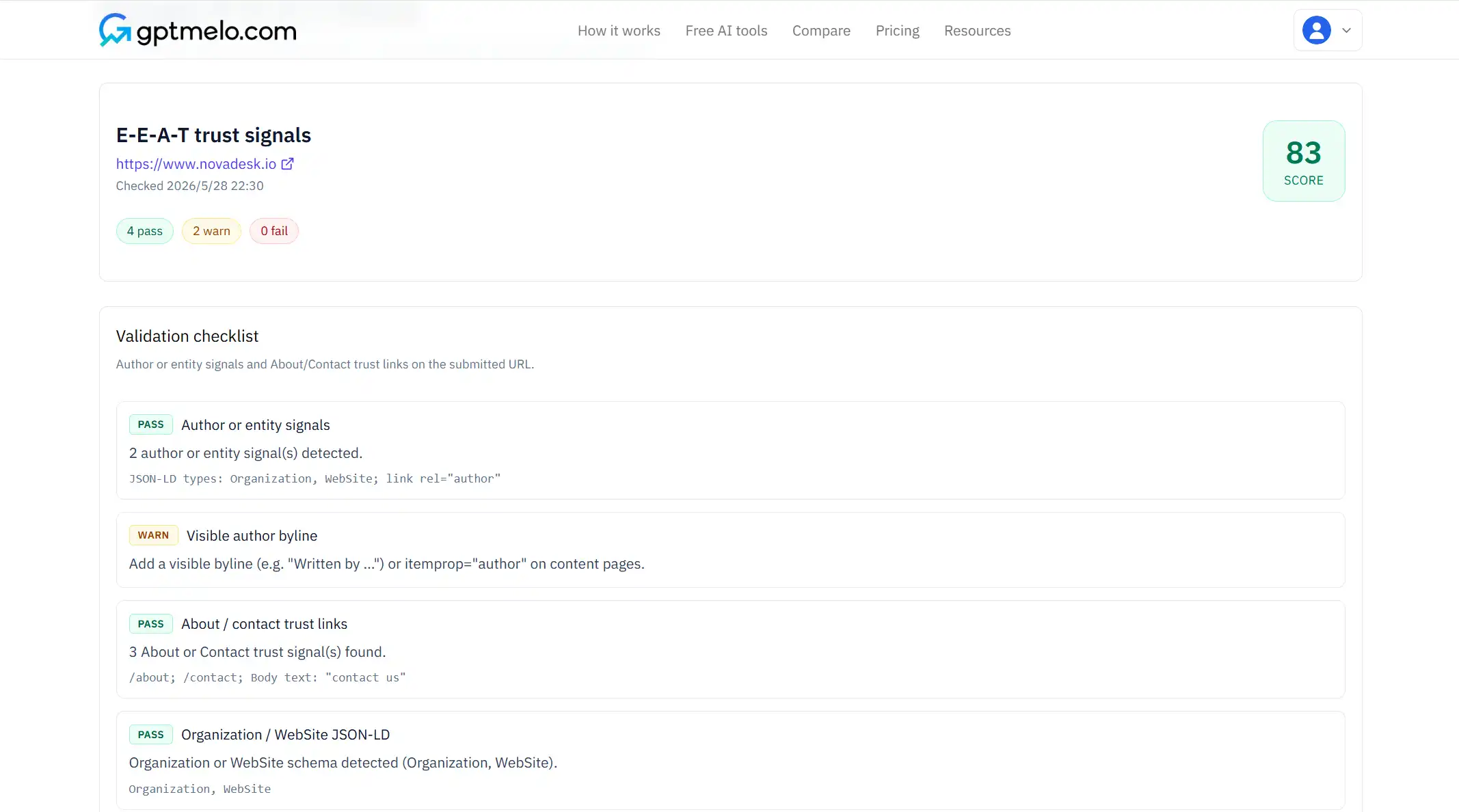
4. Fix the live page. Add the missing signals in HTML, then paste the same URL again. Do not treat this window as the published page.
FAQ
What is EEAT for AI search?
Experience, expertise, authoritativeness, and trust signals that search engines and AI systems use when choosing which pages to quote.
Does EEAT replace good structure?
No. Trust plus extractable answers wins—clear intros, lists, and sourced stats still matter.
What is the fastest EEAT win?
A named author with a real bio, dated updates, and linked primary sources on product and pricing pages.