SaaS Content Writing: Buyer Pages and Help Docs

Key takeaways
- SaaS content writing is a useful page for a named role: a help doc, a how-it-works section, or an explainer for a buyer—not a slogan about the platform.
- B2B content writing on a SaaS site names the role (admin, buyer, teammate) and the product limit they will hit.
- Draft in GEO Content Writer after you name the role and the task; edit facts before you publish.
SaaS content writing is a useful page for a named role inside the product or next to it: a help doc, a changelog, a how-it-works section, or an explainer for a buyer. It is not a slogan about “the platform,” and it is not an ad that only asks for a trial. Content writing for SaaS is the same kind of writing. B2B content writing on these sites means you name a company role—not “anyone who might buy.”
| Situation | I’d start here | Skip if |
|---|---|---|
| You are writing help inside the product | One task per page, numbered steps | You needed a homepage headline |
| You are explaining how the product works to a buyer | Product limit in paragraph one | You only needed a Start trial button |
| The reader is an admin or a buyer at a company | Name the role and the seat or permission limit | A consumer app with no company buyer |
| You have a ChatGPT dump about “our platform” | Name the role and the task, then edit | You type “write SaaS content” with no role |
Content writing for SaaS
Content writing for SaaS still follows the same checks as any useful page: a named reader, a point in the first paragraph, a format they can scan, and proof they can check. The full definition is in what is content writing. Content writing tips still apply. This article covers the SaaS pages: help docs and buyer pages.
Name the product limit in the opening when it changes the task. “Export CSV if you are on Pro” belongs in sentence one, not after a story about the company.
If the line only exists to get a trial click, that is copywriting. The difference is in copywriting vs content writing. A landing page can hold both: copywriting in the headline and button, content writing in the how-it-works section. Decide per section.
B2B content writing
B2B content writing on a SaaS site is not a different skill. It is the same useful page, written for a company role.
Write for one of:
- An admin who has to invite a teammate or set a permission
- A buyer who has to explain a seat, a plan limit, or an integration to someone else
- A teammate who has to finish a task inside the product this week
Do not write for “the enterprise.” Do not write for “decision makers.” Those phrases name nobody. If more than one person has to say yes, still pick one role for this page and say what they can do after they read it.
B2B does not mean a longer page. It means a clearer role and a clearer limit (seats, permissions, plan, integration). Skip this method for medical or legal advice pages.
Help docs: one task per page
A SaaS help page fails when it tries to teach the whole product.
Do this instead:
- One task in the title: Invite a teammate, Export a CSV, Connect Slack
- Numbered steps a person can follow without opening the marketing homepage
- One line for what to do when a step fails (gray button, missing permission, wrong plan)
- The product name only where it prevents confusion
Weak: “Our collaboration features help teams work better together.”
Strong: “To invite a teammate, open Settings → Members → Invite, paste their work email, and pick Member. If Invite is missing, you are not an admin.”
Changelogs follow the same idea: what changed, who it affects, what to do next. Not “we are excited.”
If the help topic is long enough to be an article, use article writing for the outline. If that article has to rank for one query, use article writing for SEO.
Buyer pages: explain the product limit
A SaaS buyer page fails when it only lists features and never states a limit the buyer will hit.
Do this instead:
- Who this page is for (admin, buyer, teammate) in the opening
- What the product does in one task they recognize
- What the plan, seat, or permission limit is
- One example they can retell to a colleague
Weak: “A flexible platform for modern teams.”
Strong: “On the Team plan you get five admin seats. If a sixth person needs to change billing, upgrade or transfer an admin seat first.”
That paragraph is content writing. “Start free trial” next to it is copywriting. Keep both. Do not turn the explainer into a second slogan.
If the buyer page also has to rank, put the answer in the first paragraph and use searcher words where they fit. How to write that body is in SEO content writing.
If you draft in ChatGPT, paste the role, the task, and the limit first. Outline-first prompts are in ChatGPT for content generation. For a human edit after a model draft, see edit AI content.
Common mistakes
- Writing for the platform instead of a named role
- Teaching the whole product on one help page
- Hiding the plan or permission limit under brand story
- Calling a trial ad SaaS content writing
- Pasting a fluent ChatGPT dump with no role, no task, and no limit
- Writing B2B as a tone (“enterprise-grade”) instead of a role
- Measuring a help article only by trial clicks
Free check: a help page or a buyer page
Open gptmelo’s GEO Content Writer. Draft one help doc or one buyer page — not a trial slogan. No account required.
1. Fill the form. Topic is that one page: a help task (“Invite a teammate”) or a buyer-page limit (“Team plan: five admin seats”). Brand name and Brand website are the product this role will use. Open More options only if you need them.
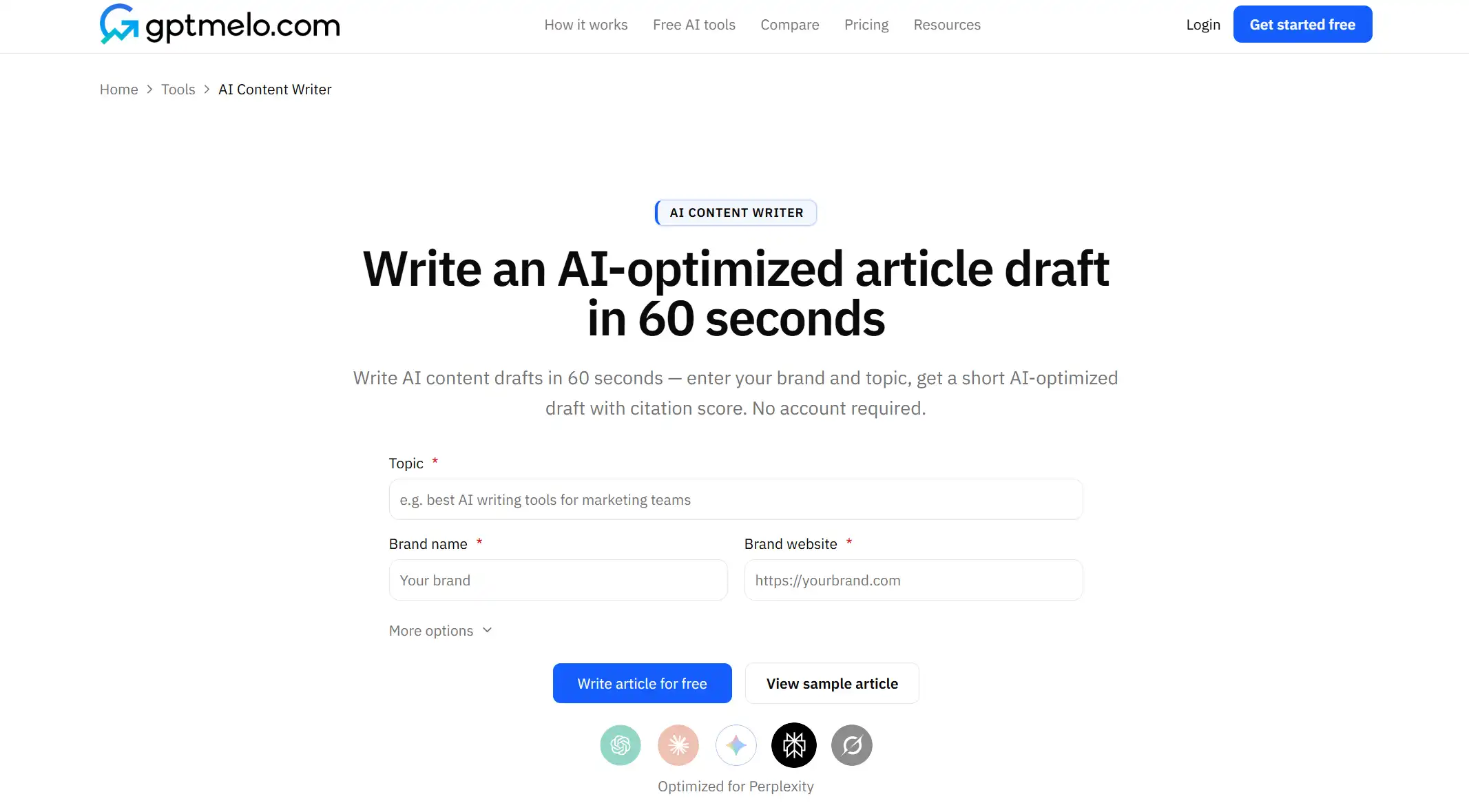
2. Write. Click Write article for free.
3. Read the result. You get a draft next to a GEO content score (Writing, Identity, Cite, Ship). The screenshot is a sample — yours follows Topic. Check paragraph one: does it name the role and the task or limit? Glance at Identity. Use Copy HTML or Copy Markdown. The score is not a fact check.
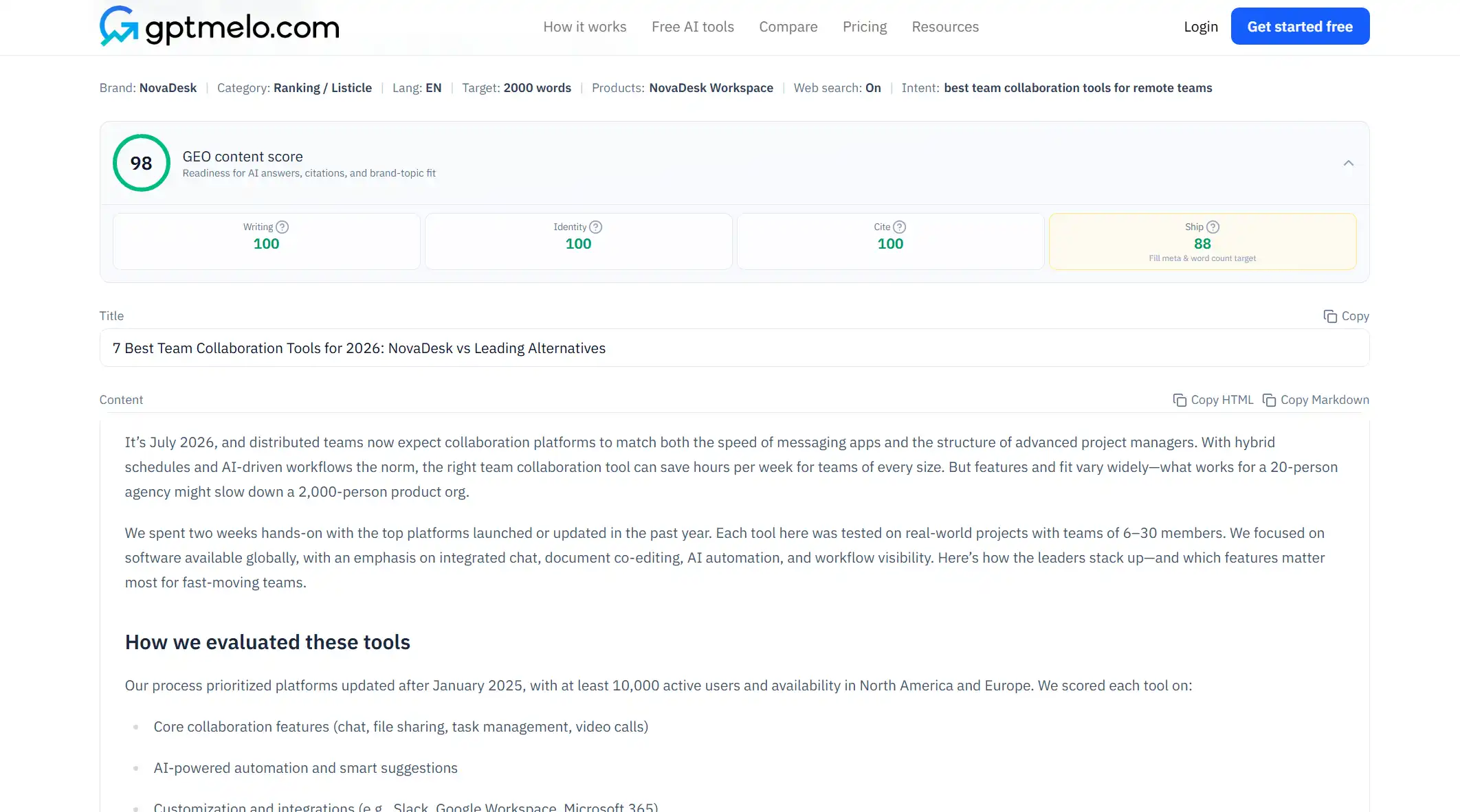
4. Edit, then put it on a URL. Read the draft before anyone else sees it. Do not treat this window as the live page.
The write-check-publish path is in GEO article writing.
FAQ
What is SaaS content writing?
Writing help docs, changelogs, how-it-works pages, and explainers for a buyer so a named role can finish a task or understand a product limit. It is not a homepage slogan and not an ad that only asks for a trial.
What is B2B content writing?
On a SaaS site, B2B content writing is the same kind of writing aimed at a company role: an admin, a buyer, or a teammate who has to say yes. Name the role and the limit. Do not write for everyone at the company.
What is content writing for SaaS?
Content writing for SaaS is the same as SaaS content writing: useful pages inside the product or next to it. Help docs take one task. Buyer pages explain how the product works before they ask for a click.
Should SaaS help docs and buyer pages use the same draft?
No. A help page answers one task. A buyer page explains a limit they will hit. Mixing them produces a tutorial that never finishes the steps, or a sales page that never explains the product.
Is SaaS content writing the same as copywriting?
No. Trial buttons and pricing headlines are copywriting. Help docs and how-it-works sections are content writing. One person can write both. Decide per section.