Blog Writing Template: Fill Headings After the Brief
Key takeaways
- A blog writing template is a heading list you reuse: title, opening, then the next questions.
- Fill reader and point in a brief first. This page is not a brief and not a filled example for one post.
- Put the headings into GEO Content Writer after the brief; edit facts before you publish.
A blog writing template is a heading list you reuse: a title that states the point, a first paragraph that answers, then headings a reader would look for. A blog post writing template is that same list. It is not a brief. It is not a finished example you copy once.
| Situation | I’d start here | Skip if |
|---|---|---|
| You named the reader and the point | Copy the tables below | You still needed the brief |
| You write a how-to most weeks | The how-to table | You needed a filled outline for one post |
| You write explainers | The explainer table | You only needed a slogan |
| You start with headings and guess the reader | Fill the brief first | You already named the reader and the point |
What a blog writing template is
Fill the reader and the point first. Those lines are in the content writing brief template. Use this page after the brief is filled. You copy empty headings. You write new sentences under them. You do not keep last week’s body. Reuse the headings. Do not paste last week’s paragraphs under a new title.
How to write a post from title to publish is in blog writing tips. If you want a filled outline for one post, use blog writing examples. This article is the empty list you reuse.
If the piece is a longer article with sections, article writing has the steps for that article. This page stays on blog posts: one page, one promise.
Blog post writing template
Copy one table. Leave the other. Replace “Write this” with your sentences. Do not add a heading the title does not need. Do not mix a how-to and an explainer in the same post. A title almost never needs both.
How-to
| Section | Write this |
|---|---|
| Title | The task, in the reader’s words |
| Opening | The method in paragraph one |
| What you need | Tools or materials, if any |
| Steps | Numbered, in order |
| When a step fails | One line for when they get stuck |
| What to skip | What not to bring or not to do |
Explainer
| Section | Write this |
|---|---|
| Title | What it is, and what it is not |
| Opening | The definition in paragraph one |
| What it is | One everyday case |
| What it is not | What people confuse it with |
| What to do next | The next step if they want one |
That is the whole blog post writing template. Do not add a keyword list as a heading. Do not add “in this post I will.”
How to use it this week
Name the reader. Name the point. Then pick how-to or explainer. Then copy that table into your draft.
A how-to title that already states the post: “How to defrost a freezer without soaking the floor.” The opening is the method. The headings are what you need, the steps, when they get stuck, and what to skip.
An explainer title that already states the post: “What a rain delay means for a little-league game.” The opening is the definition. The headings are what it is, what it is not, what to do next.
Do not copy those topics. Copy the empty headings. Change the words. If this week’s post is a how-to, leave the explainer table. If it is an explainer, leave the how-to table. If you switch mid-draft, you will open with history.
If you draft in ChatGPT, put the filled brief and the heading list in first. Outline-first prompts are in ChatGPT for content generation. For a human edit after a model draft, see edit AI content.
If the post also has to rank for one query, use article writing for SEO after you have these headings.
What this template is not
Skip this list when you needed:
- A fill-in brief (reader, point, format, proof)—that is the content writing brief template
- A finished outline for one post—that is in blog writing examples
- A school blog entry aimed at a rubric
- A help doc inside a product—see SaaS content writing if that is the real task
- An ad whose only aim is a click—see copywriting vs content writing
Fill the brief. Then copy headings. Then draft. Do not start with headings and guess the reader. If you cannot name the person yet, stop here and go back to the brief. Headings cannot name the reader for you.
Common mistakes
- Starting with headings before you can name a reader
- Treating the brief as a blog writing template
- Copying last week’s sentences into this week’s post
- Using a homework blog entry as the heading list
- Adding a keyword list as a heading
- Opening with history instead of the method or the definition
- Collecting templates instead of finishing one post
Free check: the headings you already filled
Open gptmelo’s GEO Content Writer. Draft the H2 list already filled — not empty headings and not last week’s paragraphs. No account required.
1. Fill the form. Topic is that how-to or explainer list with your sentences under each heading. Brand name and Brand website are the blog that will publish this post. Open More options only if you need them.
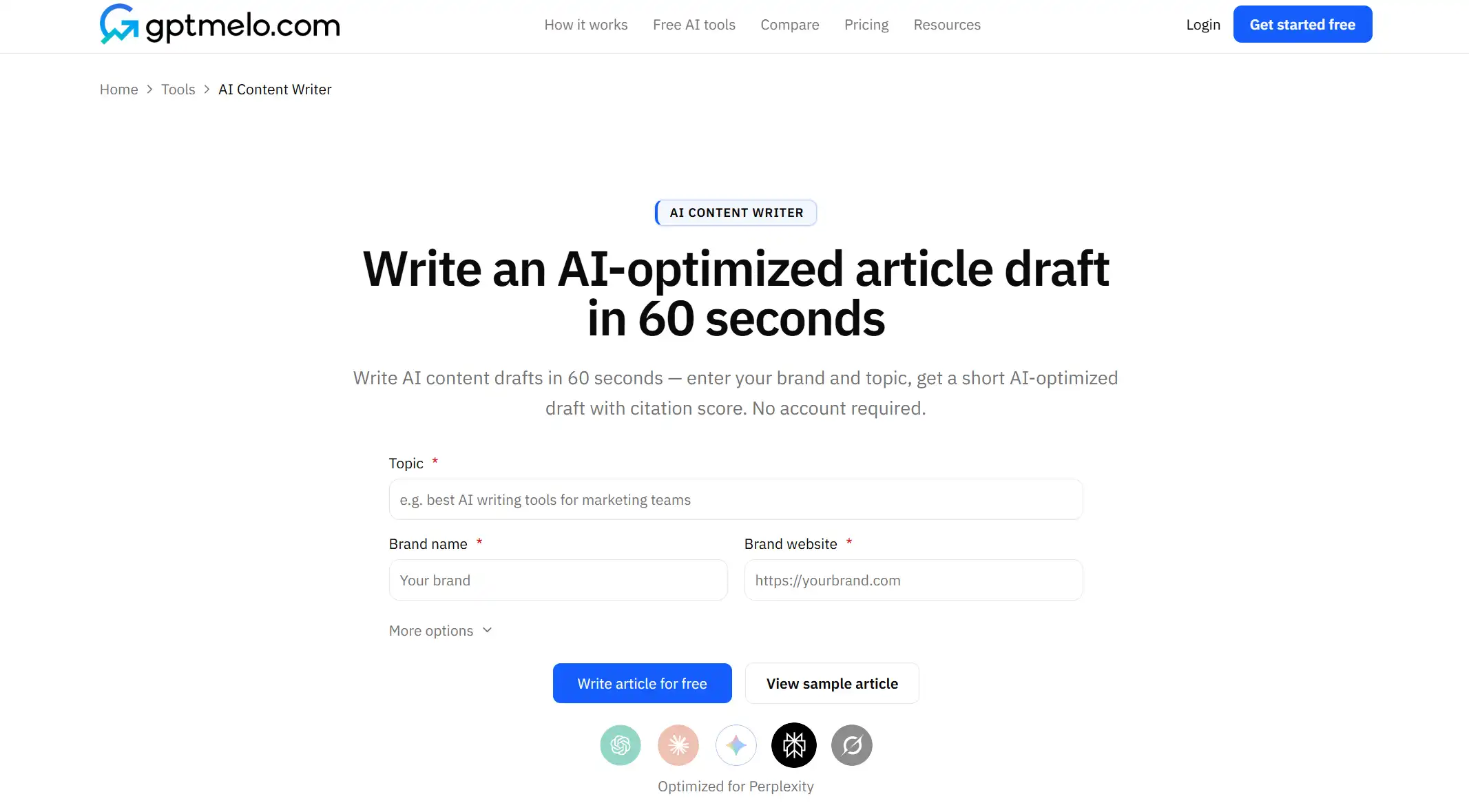
2. Write. Click Write article for free.
3. Read the result. You get a draft next to a GEO content score (Writing, Identity, Cite, Ship). The screenshot is a sample — yours follows Topic. Glance at the heading structure: do the H2s still match the list you filled? Glance at Writing. Use Copy HTML or Copy Markdown. The score is not a fact check.
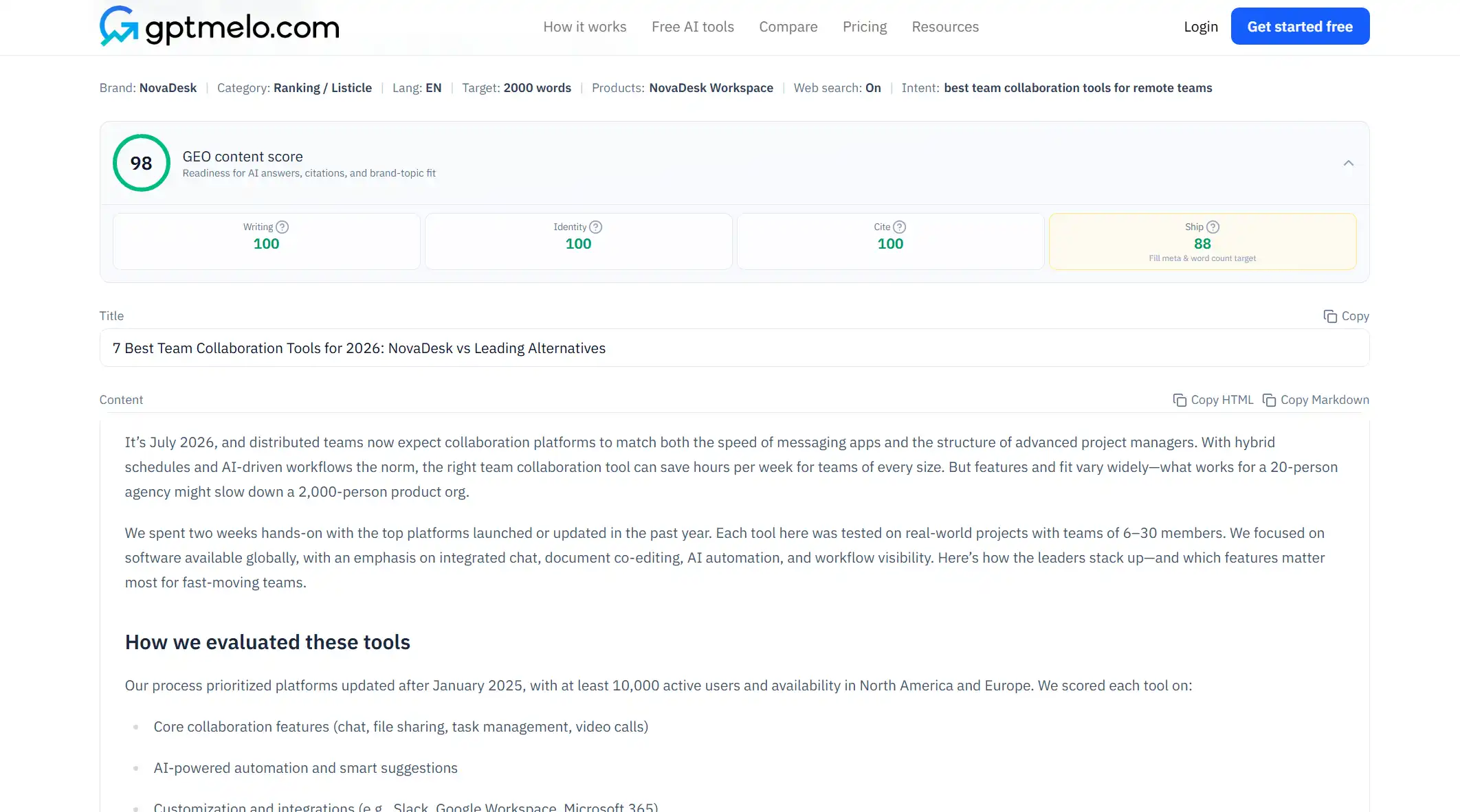
4. Edit, then put it on a URL. Read the draft before anyone else sees it. Do not treat this window as the live page.
The write-check-publish path is in GEO article writing.
FAQ
What is a blog writing template?
A reusable heading list for a public post: title, first paragraph, then headings a reader would look for. Fill the reader and the point first. Then copy the headings.
What is a blog post writing template?
Empty headings for a how-to or an explainer. Copy the list each week. Change the words under the headings. Do not keep last week’s sentences.
Is a blog writing template the same as a content writing brief?
No. A brief names the reader and the point before any outline. A blog writing template is the heading list you fill after that. Fill the brief first.
Is a blog writing template the same as blog writing examples?
No. Examples are finished outlines for one post. A template is empty headings you reuse. Copy an example once. Reuse a template every week.
Can I use this for a homework blog entry?
No. A school blog entry aims at a rubric. This template is for a public post a stranger can use.